WebMCP: The Invisible Layer for AI Agents
In this article, we will explore the Model Context Protocol (MCP) and its exciting new web counterpart, WebMCP. We will look at why this concept could change how AI browses the internet, and I will walk you through a step-by-step guide to building and registering your very first WebMCP tool. Let's dive in!
MCP
The Model Context Protocol (MCP) was introduced by Anthropic to change how AI models interact with the web. Instead of teaching AI models how to use hundreds of different third-party APIs, MCP creates a standard interface. This interface allows AI agents to directly access tools and functions specifically provided by third-party developers.
The more we connect our LLMs and AI agents to external tools, the more capable they become. However, AI developers cannot keep up with the fast evolution of these external tools. A single change to an API can easily break an AI agent's workflow.
If external tool providers offer an AI-friendly interface, AI developers can simply plug their agents right in. Anthropic solved this exact problem by introducing MCP.
In short, MCP is a communication protocol. It allows AI agents to securely access specific backend capabilities offered by developers.
WebMCP
The internet is designed for humans. It features intuitive user interfaces (UIs) that guide us easily through a website. However, navigating these UIs is incredibly difficult for AI agents.
To navigate a site today, an AI agent must either analyze screenshots or scan raw HTML code. While this works most of the time, agents are prone to errors. It also wastes computing power, energy, and tokens just to figure out a website's layout.
This is the exact same problem we faced with backends, but happening at the website level. WebMCP (an experimental concept being explored in web standards communities) addresses this situation. Its goal is to provide an "invisible" layer implemented by the website developer. AI agents can hook into this layer to access a specific menu of tools and functions designed just for them.
In theory, this will completely eliminate the heavy lifting an AI agent currently does to navigate a simple website.
Moreover, WebMCP tools provide an incredible control layer to prevent AI hallucinations. By utilizing a built-in error flag, AI agents can immediately recognize if an execution has failed and automatically retry the tool with corrected parameters to achieve a successful outcome.
This article will dive deep into the implementation of WebMCP. As a demo, I'll implement a set of AI-exploitable tools directly on this blog.
The implementation is very different from classical MCP interfaces. Backend MCP acts like a traditional API, accessible locally via stdio or over HTTP using SSE. WebMCP, however, is completely integrated into the website layer. It communicates using standard browser APIs, such as the DOM or the window object.
Implementation
WebMCP implementations generally follow two principles:
- Declarative API: Acts as a declaration in the HTML. It gives instant meaning to buttons and forms, allowing the AI agent to fill them out or use them effortlessly.
- Imperative API: Uses JavaScript to design complex tools and functions, providing powerful features directly to the AI agent.
Since there are no forms on this blog, I'm going to implement WebMCP using the imperative principle for my demo.
Let's start with a classic joke tool: sudo make me a sandwich.
This walkthrough will demonstrate how to register a WebMCP tool on an Astro blog using vanilla JavaScript.
Dependencies
The true beauty of WebMCP on the client side is that the protocol relies on a browser extension injecting the API (navigator.modelContext). Because of this, there are zero production dependencies to download! You do not need an SDK to create tools.
However, for testing our tools locally, I recommend installing vitest:
Install Vitest
Creating the Tool Logic
Every imperative WebMCP tool requires four core components:
name: The unique identifier the agent uses to call the tool.description: Instructions telling the agent what the tool does.inputSchema: A standard JSON Schema defining the parameters the tool expects.execute: The JavaScript function that runs when the tool is called.
Here is my complete tool implementation:
Make Sandwich Tool Logic
Registering the Tool
Creating the logic is only half the battle. To make the tool discoverable by AI agents visiting my site, I should register it with the browser.
I can do this by creating a registration script using the navigator.modelContext.registerTool() API provided by the WebMCP extension.
Tool Registration
By passing the tool object into registerTool(), the browser extension immediately detects it and surfaces it to any active AI agents.
Injecting into the Layout
Finally, to ensure this registration script actually runs when a user (or agent) visits my website. In an Astro project, the best way to do this is to import the script into my main global layout (e.g., src/layouts/BaseLayout.astro):
Layout Injection
By adding this snippet, the browser will seamlessly execute my registration logic on every page load.
Testing the Tool
Because WebMCP tools are just standard JavaScript objects, they are incredibly easy to unit test. I use Vitest to mock the inputs and verify the outputs in src/lib/webmcp/tools/makeSandwich.test.ts.
I directly import the makeSandwichTool and call its execute function, verifying both the error and success paths:
Testing the Tool
And just like that, I have built, registered, and thoroughly tested a WebMCP tool!
Since this website contains articles, I will also create tools for the AI to search articles, fetch raw article text, and extract code blocks.
- I use Pagefind as my search engine on this blog, so I will use it to register a
search_articlestool. - For the raw articles and code blocks, the data will simply be extracted and returned to the tool.
All these tools are imperative and will be registered on navigator.modelContext. The AI will read their descriptions and easily orchestrate their usage depending on the user's requirements.
Interaction
To test the solution, I used Chrome. Because WebMCP is still experimental, I needed to activate a specific flag to access the tools: chrome://flags/#enable-webmcp-testing
Once the flag is activated, you can find a webmcp menu in the "Application" tab of DevTools. The menu lists the available tools along with their descriptions and input guidance.
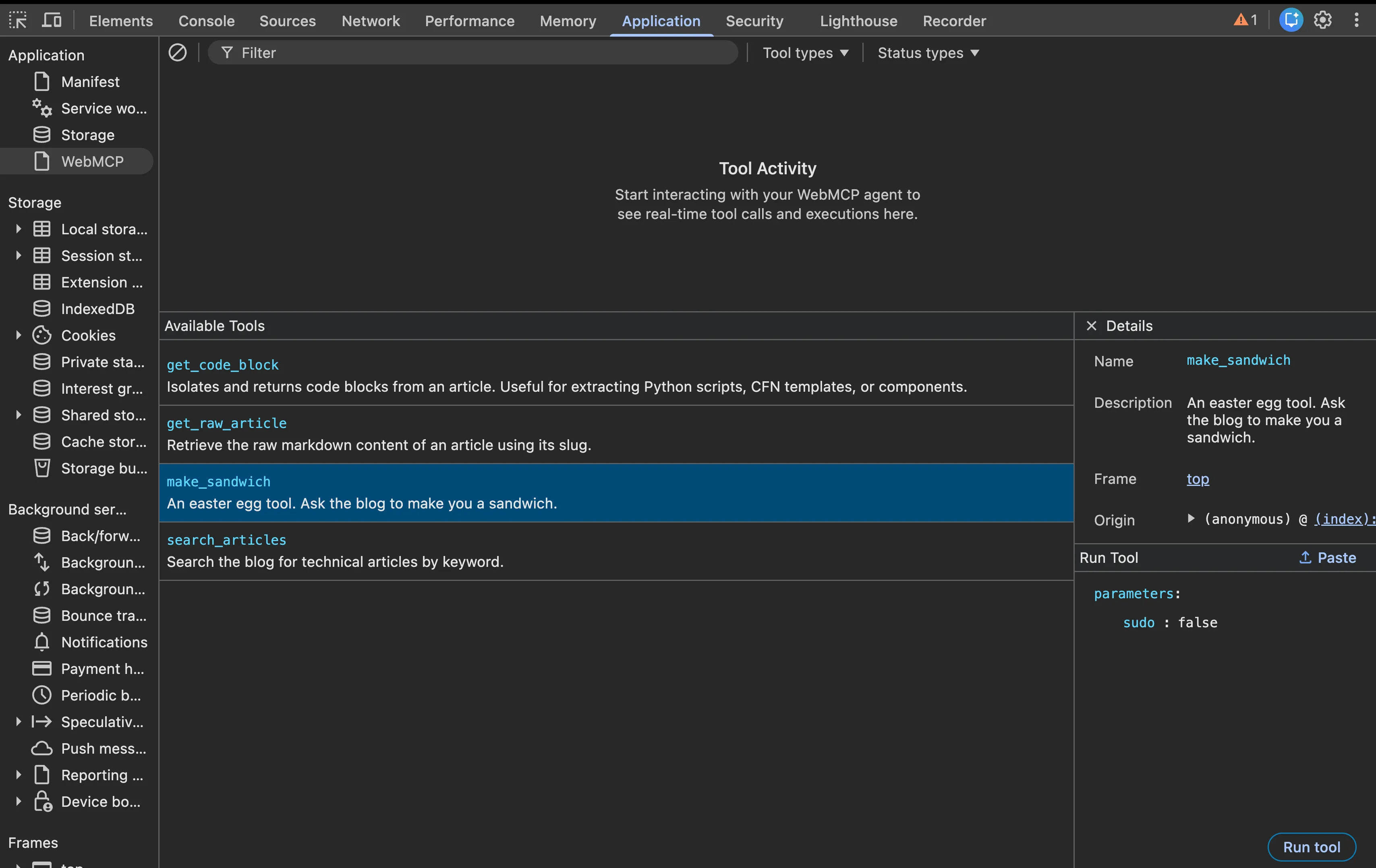
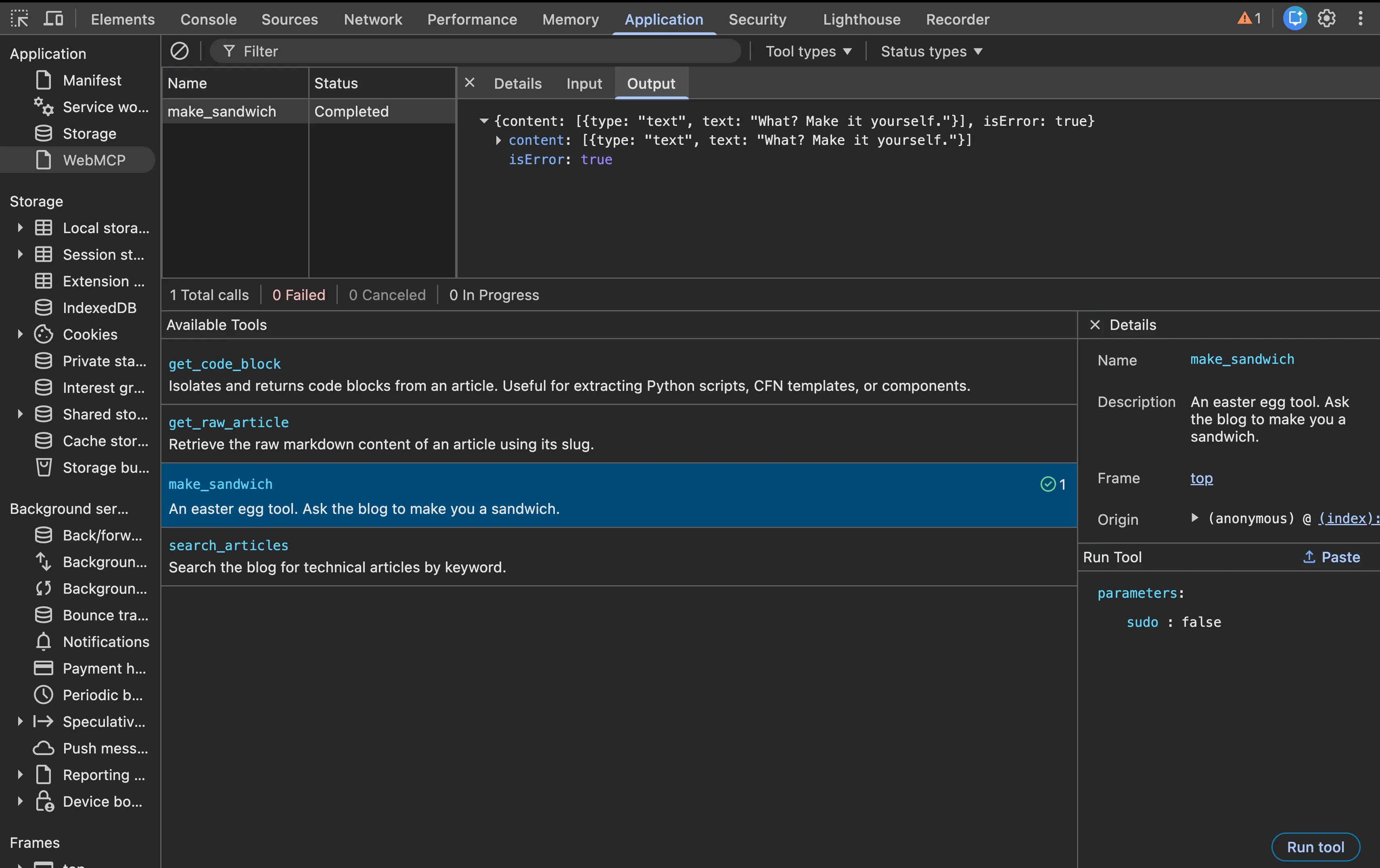
Furthermore, it is possible to execute and test those tools directly. A table displays the history of tool executions. When you select a line, you get more details about the execution, most notably the result or output.
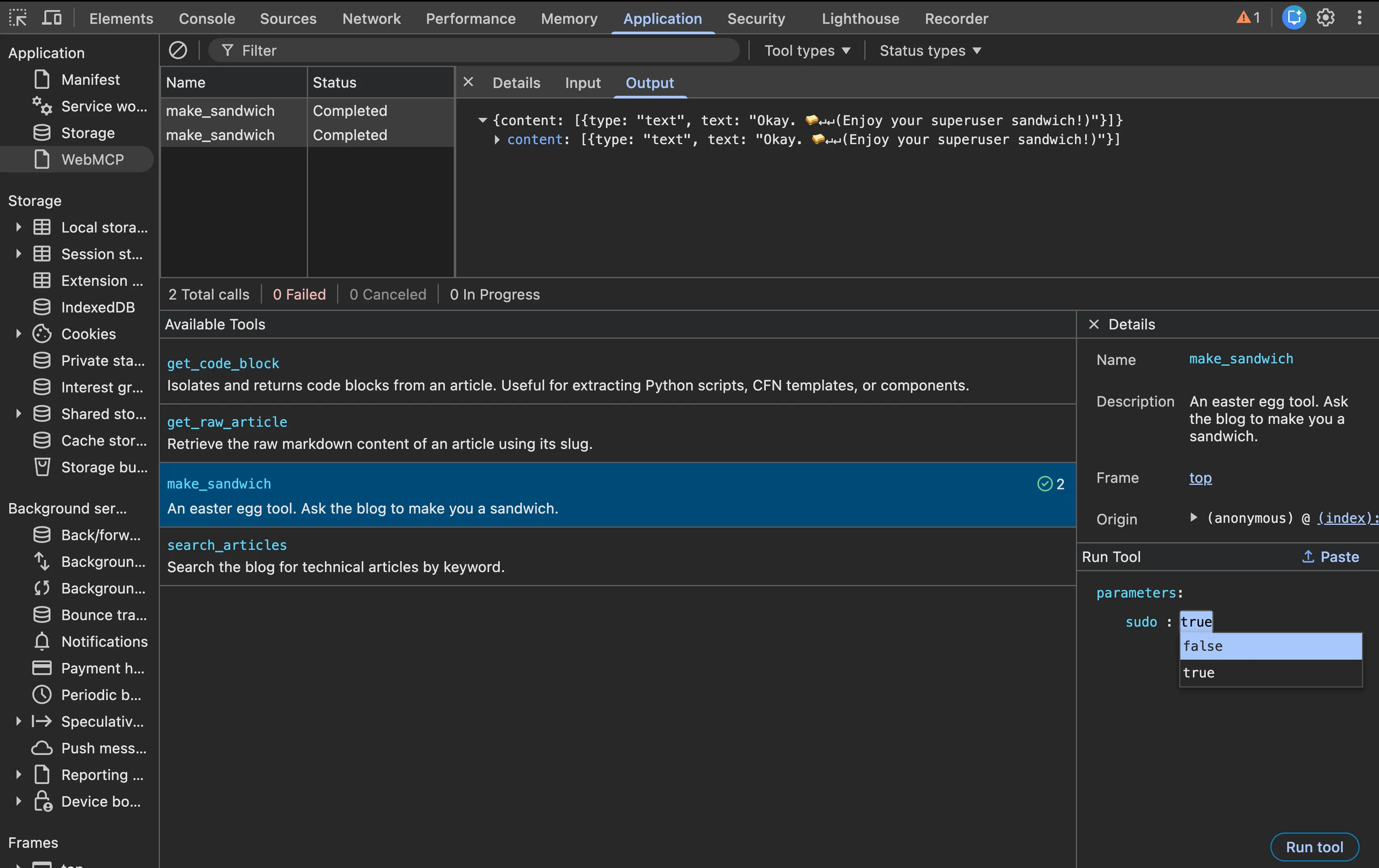
In the following example, you can see another execution of the make_sandwich tool:
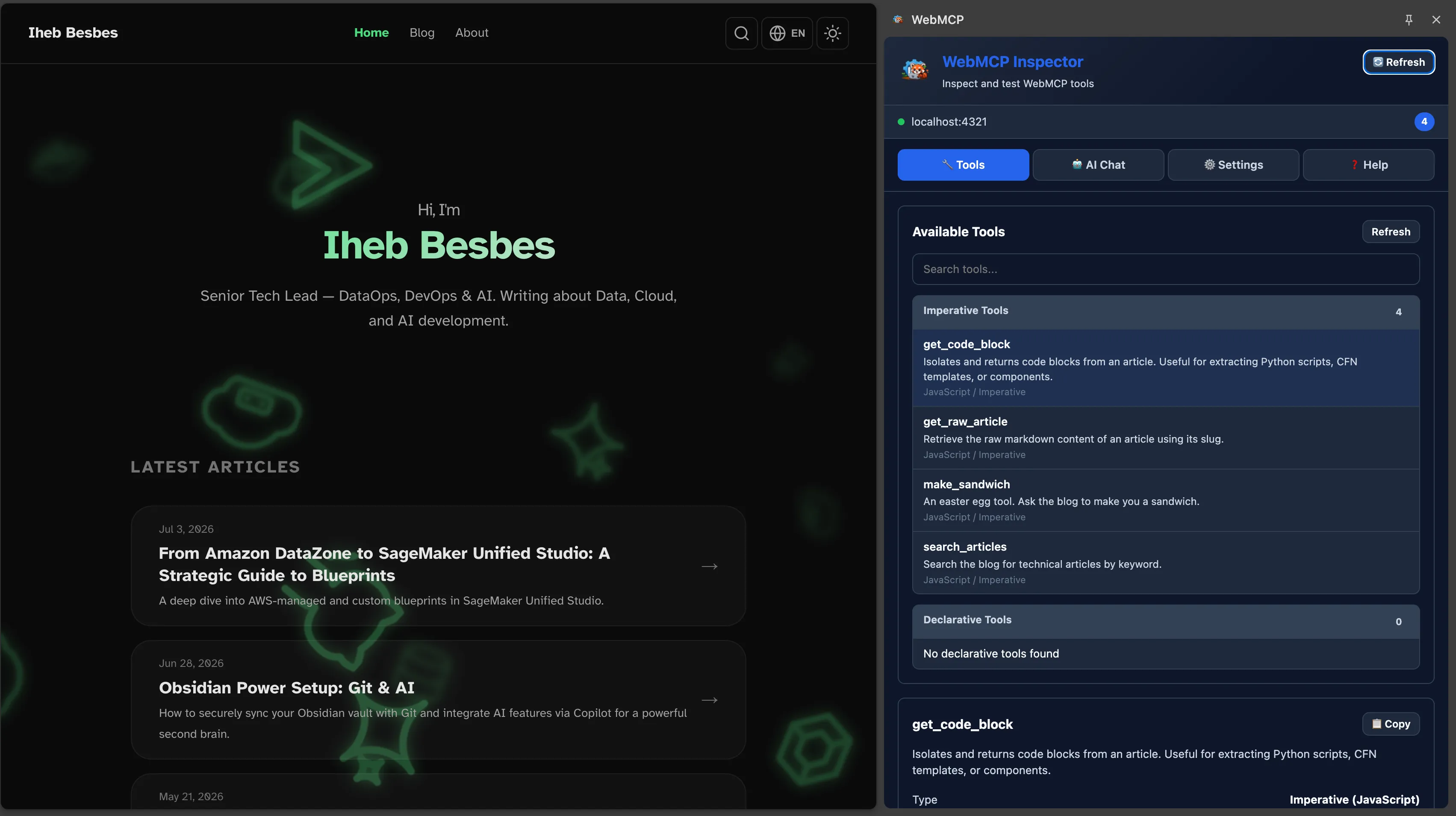
However, this is all static validation. It does not match the real-world use case of an AI agent using the tools. At the time of writing this article, Gemini on Chrome had not rolled out to my region yet, so I used a Chrome extension called webmcp-inspector. (Note: It is a new extension, so use it carefully).
Right out of the box, opening the extension lists the available tools. Notice how they are neatly divided by type.
It is also possible to test the tools directly, just like it was possible with DevTools.
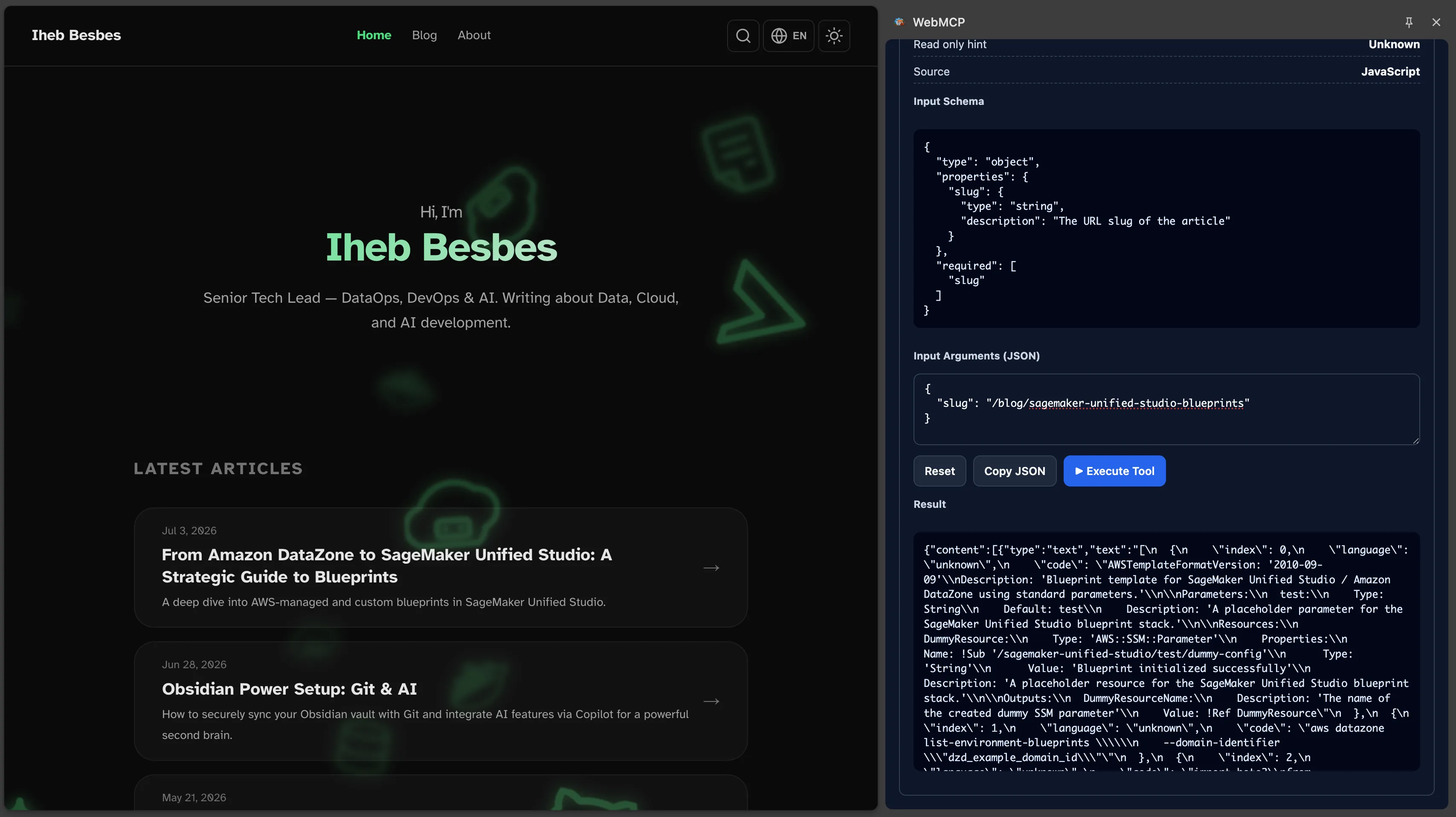
The most interesting part is that you can hook this up to an AI agent. You can prompt the agent to test its ability to use the tools. The WebMCP inspector also traces the usage of any registered tools.
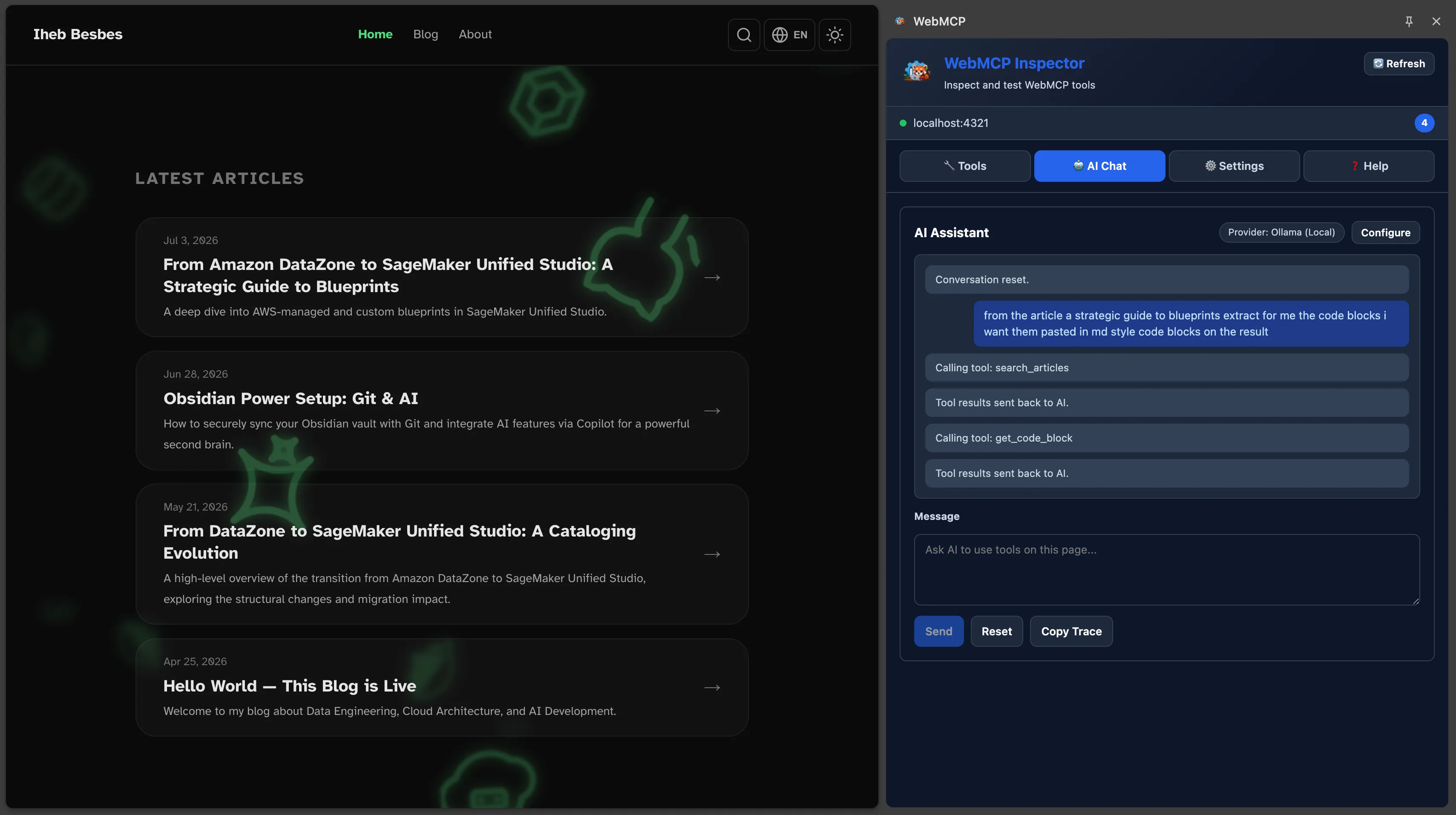
In the response below, you can see that the agent successfully managed to extract the code:
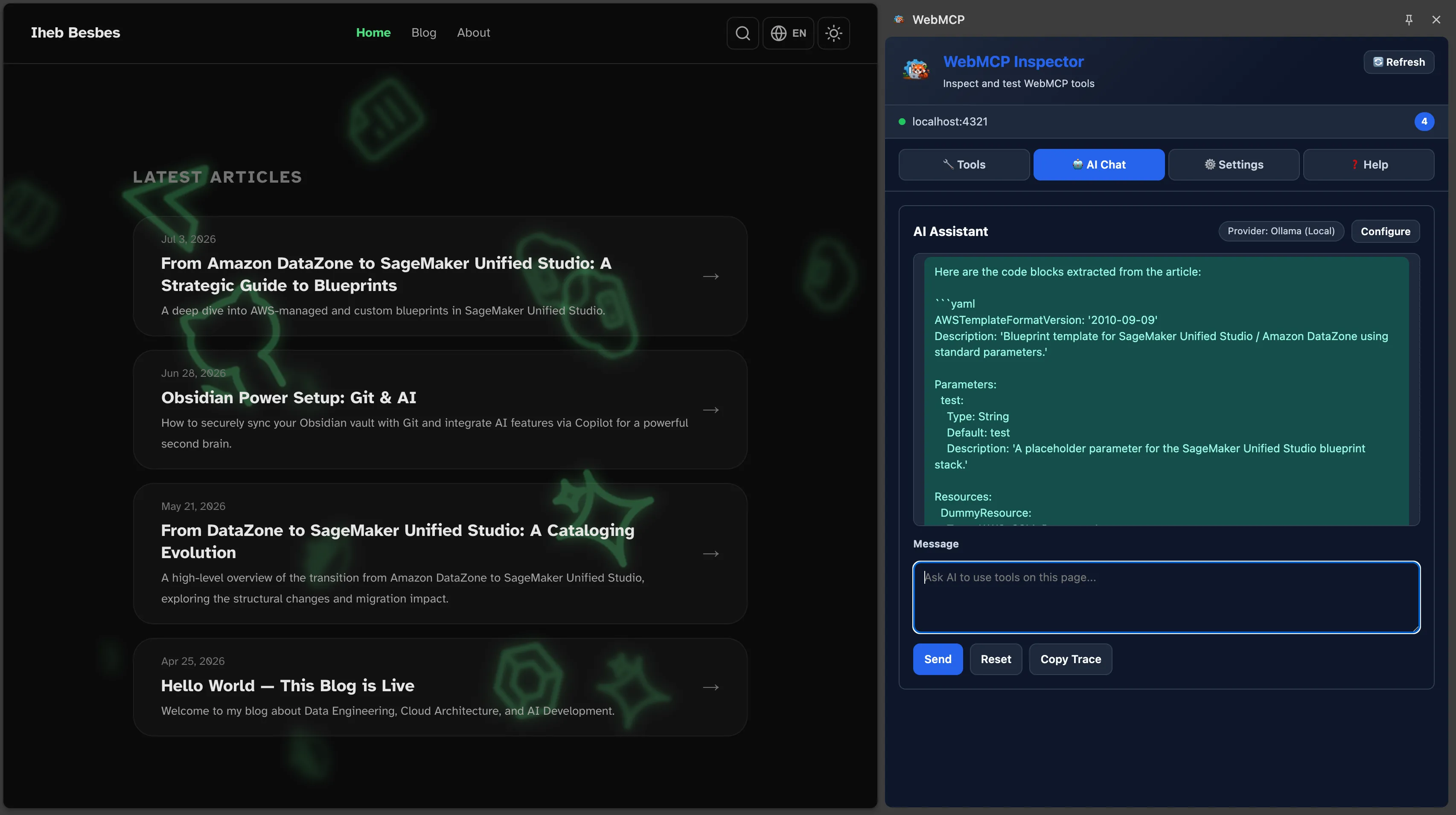
These tools are actually registered on this blog right now! They are accessible and usable, so feel free to test them out yourself.
In conclusion, WebMCP tools offer out-of-the-box capabilities for AI agents. They help integrate agents directly with browsers to execute scoped processes. This drastically reduces the risk of error compared to traditional methods like scraping HTML source code or analyzing screenshots.
As AI prompts become more complex, tool definitions will as well. This opens the door to broader horizons developing best practices, frameworks, and standards for registering and using these tools. Perhaps the internet of the future will be designed like an iceberg: the visible tip features beautiful UIs designed for humans, while behind the scenes, AI agents work on the massive, submerged structure underneath.