AWS MCP Server as Widgets
Intro
NOTE
This article is a direct continuation of my work on MCP Apps and Generative UI. I highly recommend reading it first to understand the core concepts of adding UI layers to MCP servers!
AWS recently released its official MCP server. It comes with impressive capabilities: tools that execute code and commands, and access to the official AWS documentation. It is a classic MCP server, though. It does not provide any UI endpoints, and because it lacks CORS headers, it cannot be called directly from a browser.
In my previous GenUI PoC I explored exactly this gap: adding UI generation on top of an MCP server, so tool results can be rendered as convenient interfaces. That PoC worked well, but only against mock servers that I created and hosted for the occasion.
This time I wanted a real MCP server, and the AWS MCP Server caught my attention for a simple reason: code execution happens inside the managed server itself, and it is free for now. The MCP tool execution costs nothing; you only pay for the underlying AWS resources your calls consume. As before, this was built with AI: I continued vibe coding on the previous PoC.
The goal stayed the same: enrich a real server with UI capabilities, rendering results close to what MCP Apps produce, like I did with the market server in the previous PoC.
You can try the live PoC here: genui.iheb.pro.
Requirements
- An agentic AI API key.
- An AWS principal: an IAM role or user with the
AWSMCPSignInOAuthAccessPolicymanaged policy attached.
WARNING
This tool can execute, through MCP, any action the principal is allowed to perform. Start with read-only policies and adapt to your use case, adding scoped actions on specific resources only when needed. Prefer roles: they are quicker to control and revoke.
For data access on top of the managed policy, a read-only statement like this one is a good starting point. Make sure to scope down the Resource fields to your specific ARNs instead of using wildcards * in production:
Read-only data access
- The latest AWS CLI, authenticated as the principal above. Version 2.35.19 or newer is required. Once authenticated, run:
Generate an access token
This command generates an OAuth 2.1 access token. Normally a sign-in button handles this automatically, but because the solution is hosted on the web, token generation stays manual for now. The token lasts one hour. For PoC purposes, refresh is not implemented: the agent will notify you when the token expires, and you simply generate a new one.
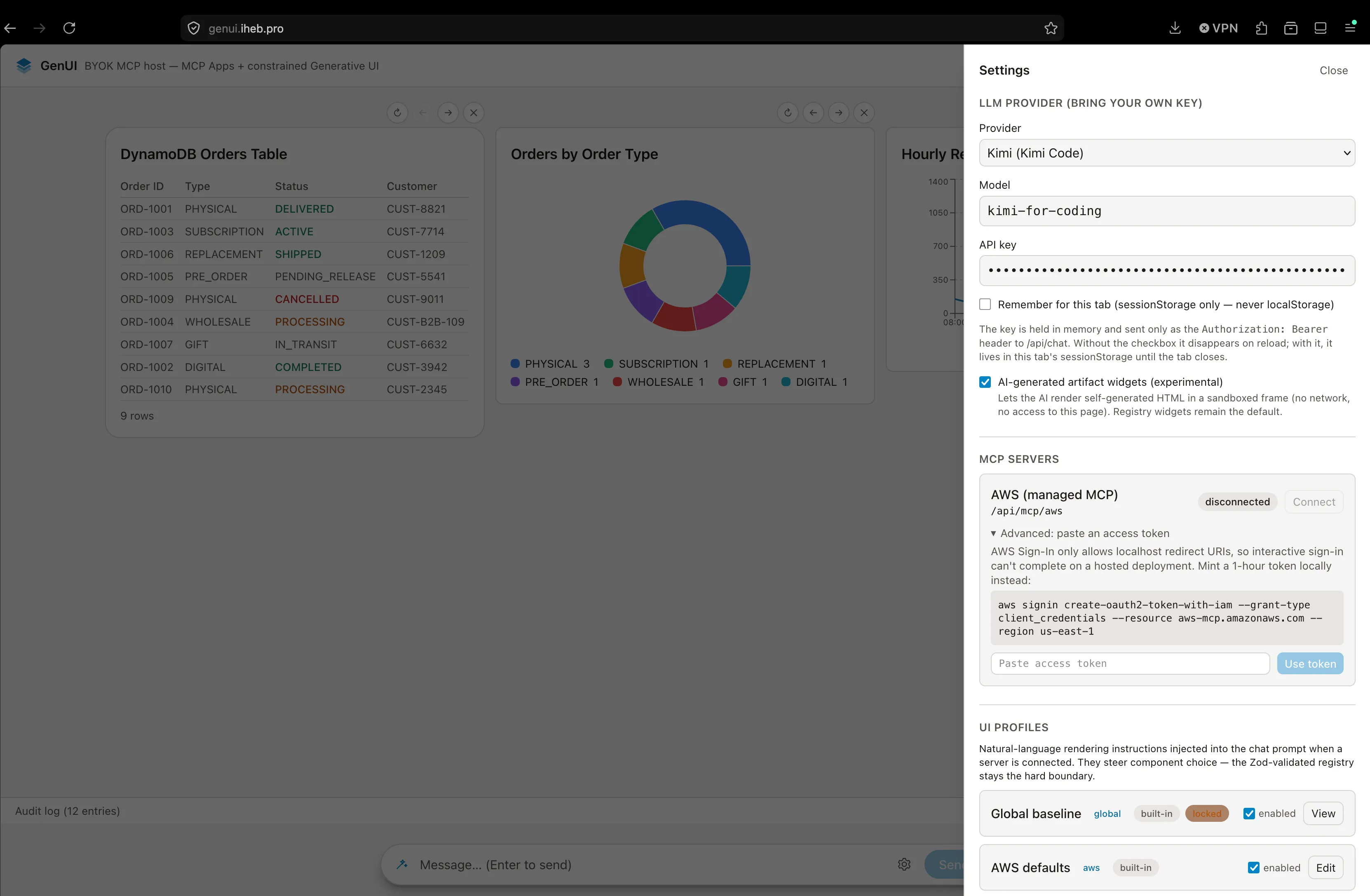
Usage
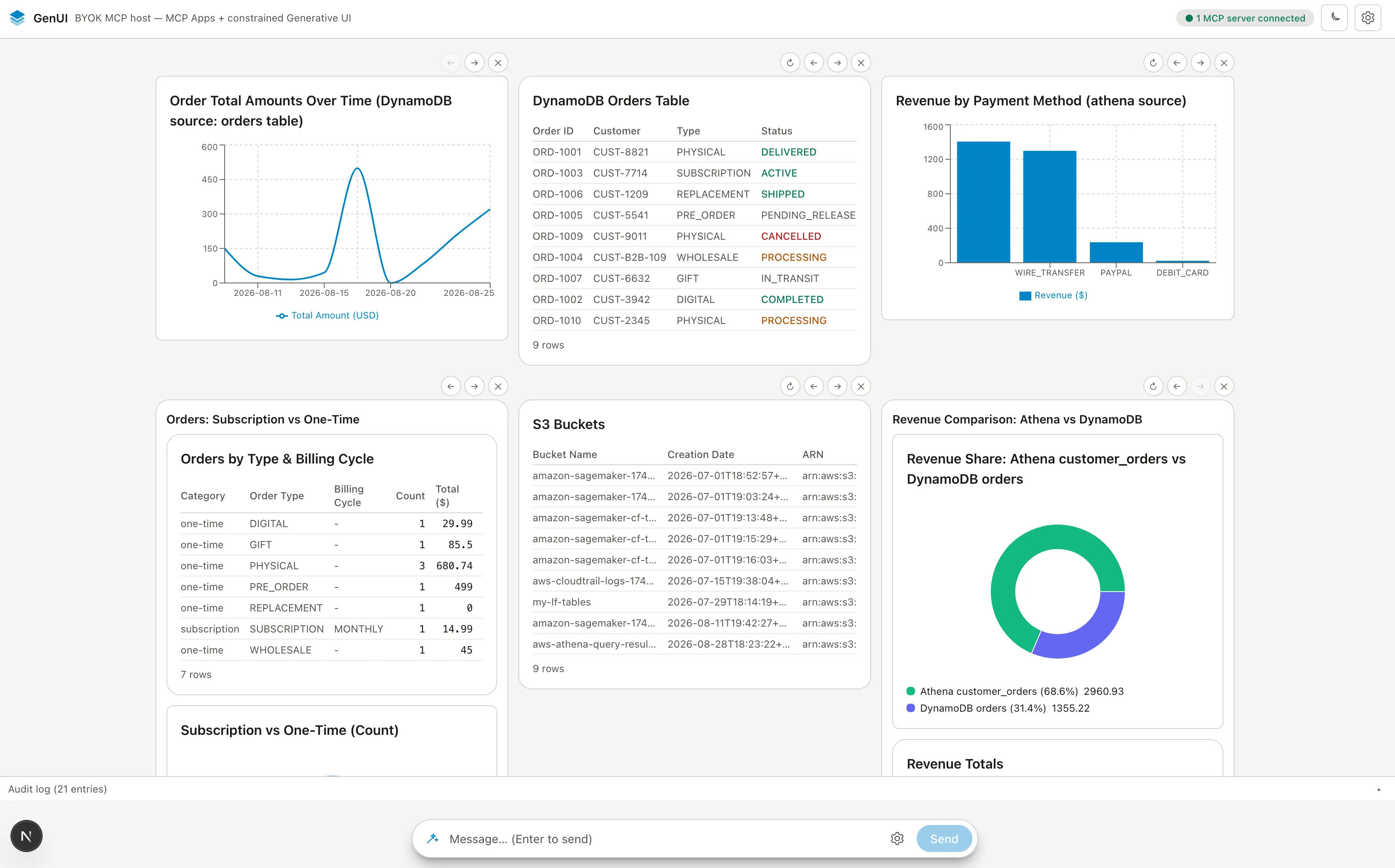
I wanted the PoC to respect one principle: anything accessible to the AWS principal should at least be answerable in chat, and drawn as a widget in the best cases.
Once access is set up, both to your favorite AI provider and to your AWS principal, the chat offers capabilities based on the granted permissions. Be very careful with those permissions.
I prompted the agent against multiple services: Athena, DynamoDB and S3. Through the MCP server, the agent orchestrated remote executions and generated widgets displaying the results. It ships with a refresh button fetching and comparing information and updating the widget content in place.
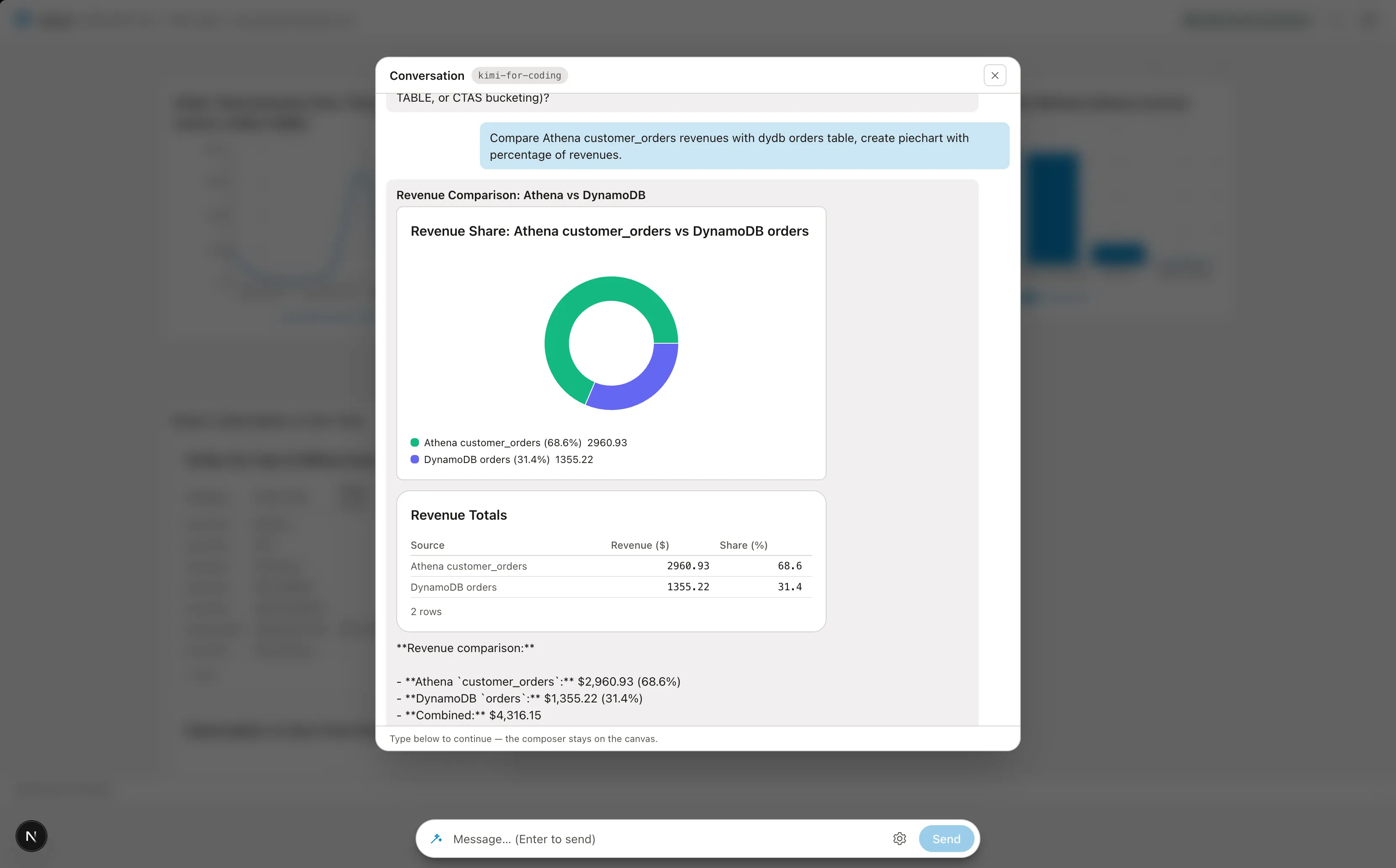
It can also cross-compare data from different services. The agent orchestrates that on its own.
Widget generation is customizable, in title and form. You iterate in the prompt until you reach the desired result, then pin the widget to the board.
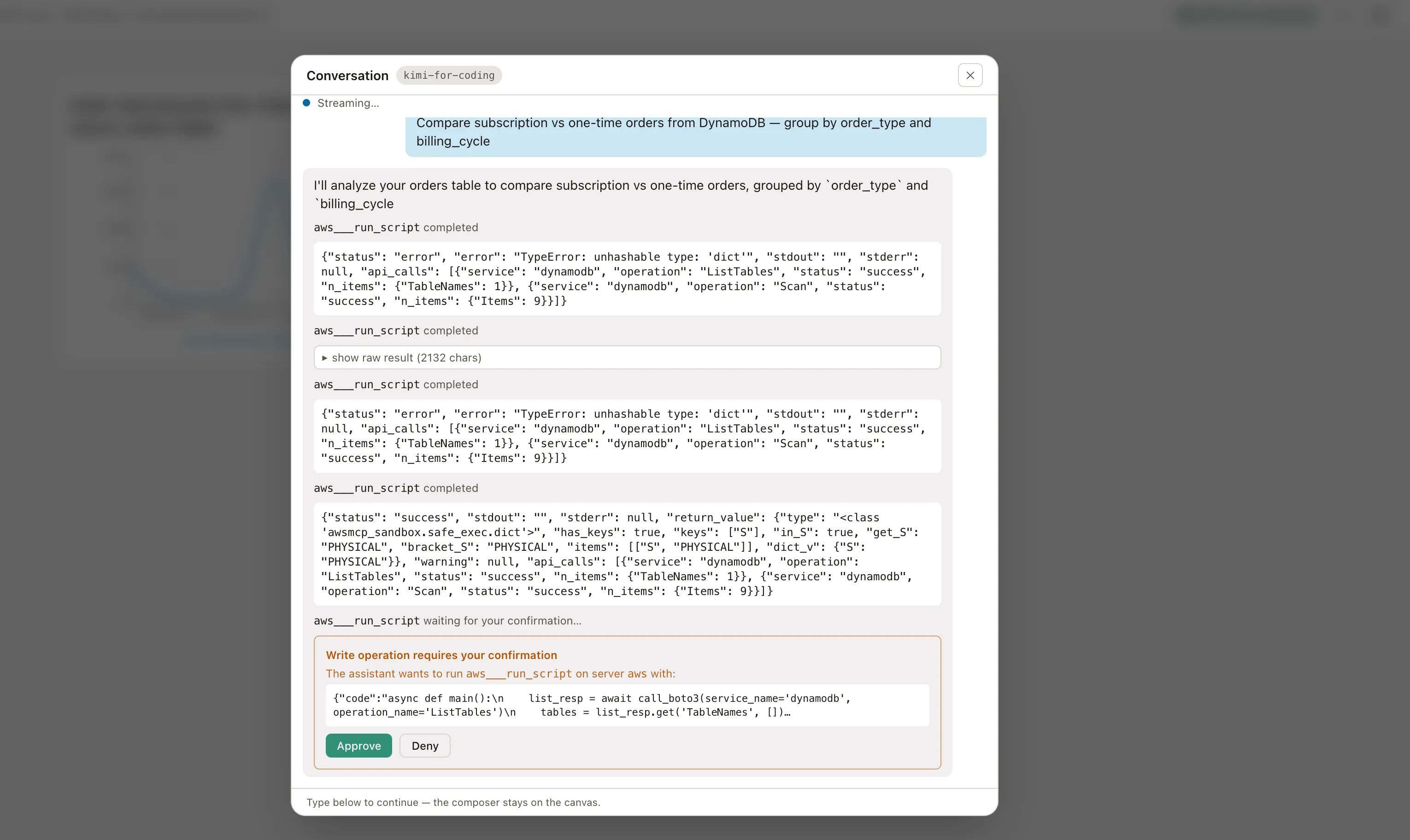
An AI agent can naturally make mistakes. MCP error responses and indications redirect the agent to retry and fulfill the prompt. I faced timeouts with the Kimi Code agent, and simply telling it to continue worked for me. The model can also correct itself during generation. Once a widget is pinned it stays on the board, but it is not frozen: you can still update it through the prompt, refresh it against its source, or unpin it.
This is why the MCP server alone is not sufficient. Even when documentation is provided, guiding the agent's path optimizes its execution and reduces costs. Explicit directions help adapt the agent's behavior to the desired output and orchestration style.
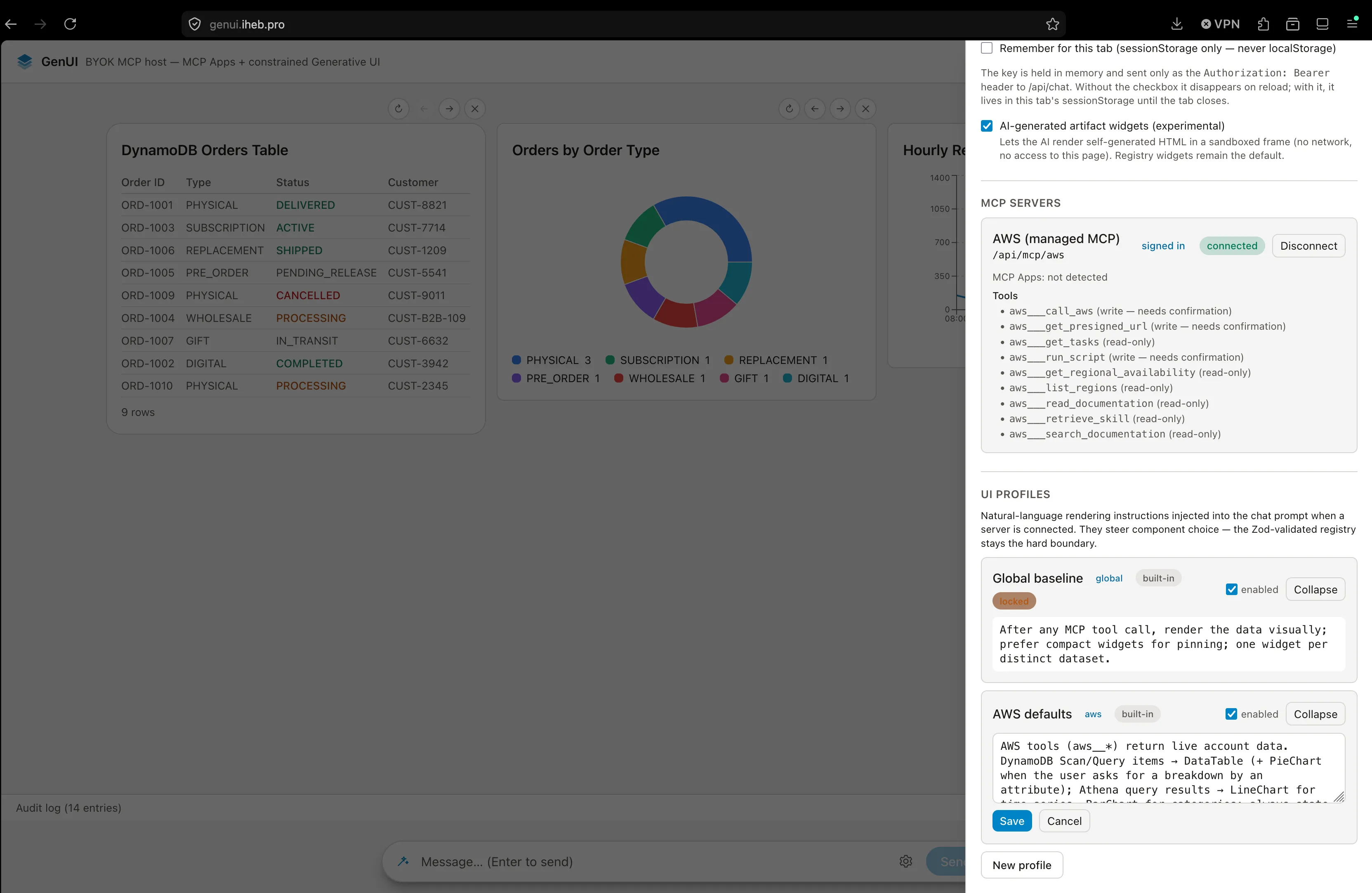
UI profiles are the first version of this idea: they make the tool a provider composed of an MCP server plus a set of instructions. For now the instructions are basic, but they will evolve in format and description in future versions.
Under the Hood
The screenshots show what it looks like, but here is a brief look at how it works. The UI generation relies on a few key components:
- Widget Registry: A central dictionary mapping tool names to specific React/Astro components.
- Zod-Validated Boundary: Before rendering, the agent's output is validated against strict Zod schemas to ensure the widget receives the exact props it expects.
- UI Profiles: These profiles bundle the MCP server connection with a set of system instructions (e.g., "always return a bar chart for metrics").
- State Reconciliation: When you click the refresh button, the UI sends a background request to the server, compares the new data with the old, and updates the widget state in place without re-rendering the entire chat history.
Cost and Latency
While the MCP execution itself is free, you still pay for AWS resources and LLM tokens. Here is a rough breakdown of what a typical interaction costs in this PoC:
| Metric | Example Cost / Time |
|---|---|
| Tokens per Widget | ~800 to 1,500 tokens (depending on prompt complexity) |
| AWS Resource Cost | Standard AWS rates (e.g., $5.00 per TB for Athena). Small PoC queries cost fractions of a cent. |
| Response Time | 3 to 8 seconds (agent reasoning + AWS execution + rendering) |
Challenges
To use the AWS MCP Server inside my PoC, the PoC had to solve two challenges.
CORS
The AWS MCP Server is designed for local agent usage. Because my agent runs in the browser, it needs CORS headers to communicate directly. However, the server does not return CORS headers or expose an OPTIONS method, causing the browser to block every cross-origin request by default.
Using Next.js server-side capabilities, the calls are fired from Vercel's servers instead. The browser only sends requests to itself: a proxy routes them server-side through /api/mcp/aws for MCP traffic and /api/oauth/aws/ for the OAuth endpoints.
Authentication
This is a public server exposing AWS service capabilities, so it naturally requires authentication against an AWS principal. Many methods exist, but I wanted the easiest one: no permanent credentials, and no headaches when permissions need to be revoked. AWS recently added OAuth 2.1 support to its MCP server, via AWS Sign-In, and an agent can use it to authenticate as the active AWS principal. I found the approach through AI-assisted deep research and this excellent walkthrough by Satoru Ishikawa on DevelopersIO.
WARNING
Security Note: In this hosted PoC, you are pasting a live AWS OAuth token into a web app. This token transits through my Vercel backend proxy to reach AWS. For this reason, please only use a throwaway or strictly scoped sandbox account.
I wanted to reproduce this exact workflow, and I succeeded locally.
Once deployed, however, dynamic client registration immediately rejected my domain in the redirect URI. It only accepts localhost or 127.0.0.1. I had skipped this detail, and my AI agent had too. A good reminder of how much deep knowledge still matters when using AI efficiently.
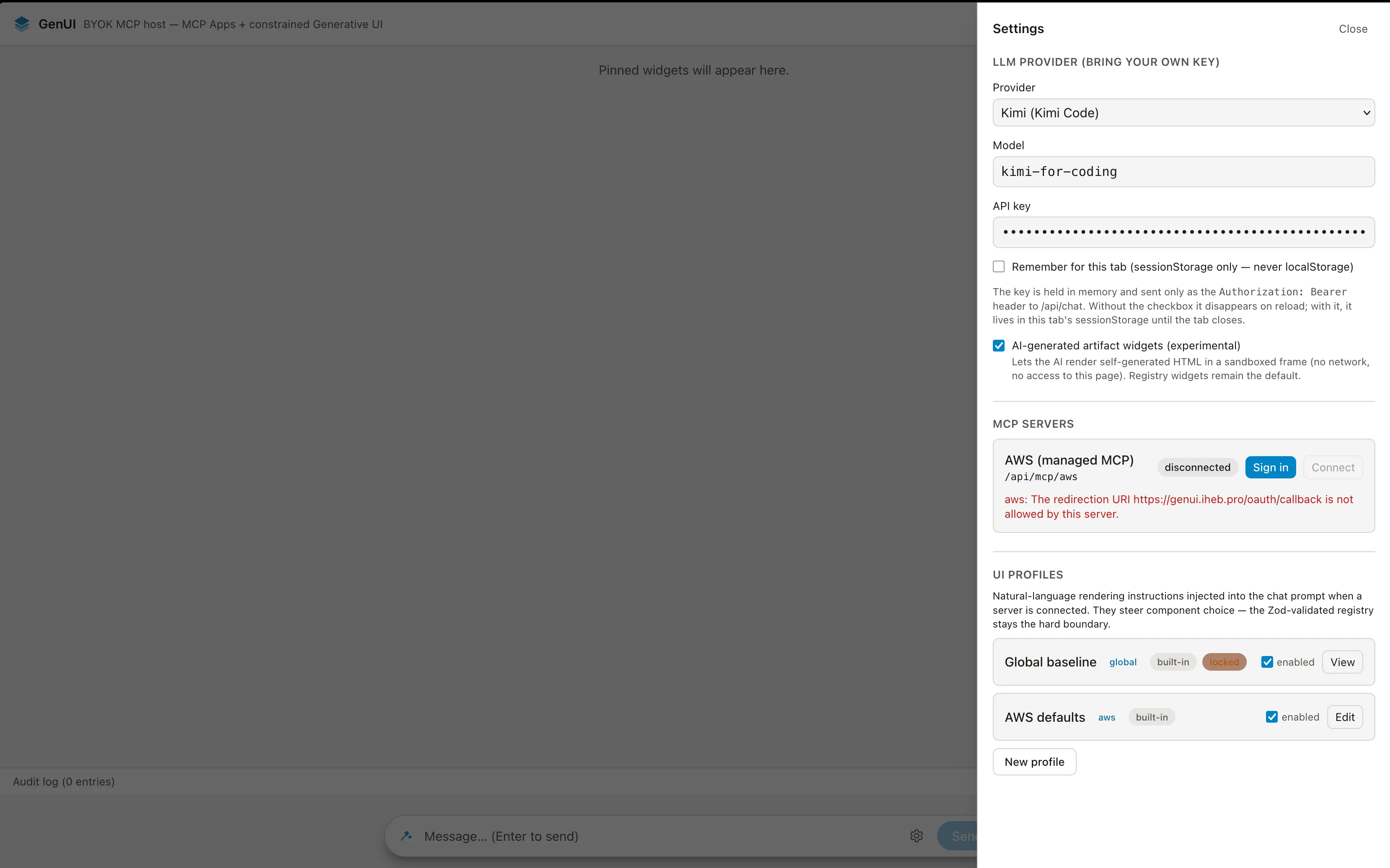
As disappointing as it is, it is not a blocker for now. Authentication stays on the same OAuth 2.1 protocol with a PKCE challenge; only the token is generated locally through the CLI command shown in the requirements, then pasted into the app. I am fairly confident a cleaner server-side solution can be found later.
To implement this server access, my coding assistant cleaned up reported bugs and laid the ground for both the CORS proxy and the OAuth module. One external requirement comes from AWS itself: the managed policy AWSMCPSignInOAuthAccessPolicy must be attached to the signing-in principal, otherwise the authorization page fails before any sign-in prompt.
Limitations and What is next
This PoC successfully demonstrates feasibility: you can bolt an MCP Apps-like UI layer onto a third-party, managed MCP server that you do not control.
However, it is important to be honest about its current limits. It is a demo of feasibility, not necessarily usefulness yet. While small aggregations and 9-row tables render beautifully, the system has not been tested against realistic, massive data volumes. It also remains to be seen whether a complex widget layer consistently beats just asking the AI to output a simple markdown table.
On the horizon: solving the manual token copy-paste with a seamless single sign-in button, and adding other real MCP providers. Both would enrich the PoC, allowing us to cross responses between different providers and build the most convenient displays on top of the results.
Ultimately, this project proves the core composability thesis can work; it does not yet prove it works well enough to depend on for daily production use. But it is a strong first step towards generative UI powered by real-world infrastructure.