SageMaker Unified Studio Cross-Account and Cross-Region Data Sharing
Recap: I will continue working on the same domain as in the previous articles. As a reminder, the SMUS domain is already set up and we have published assets ready to use. I will add projects to it and reuse the same published assets for the subscription process, so this article can focus exclusively on the setup and the subscription.
In this article, I will dive deep into project creation with the Lakehouse Database blueprint, both cross-account and cross-region, starting from a single SageMaker Unified Studio (SMUS) domain. I will present the features and quirks of each scenario. The final section will describe the sharing mechanism behind the scenes, together with a bring-your-own-role (BYOR) strategy to access cross-account and cross-region SMUS managed assets.
Both access patterns are very similar and use basically the same operations underneath. However, there are important setup parameters to take into account.
Account Setup
Account association follows the same procedure in both scenarios. Even in the cross-region case, the association is done in the home region of the domain. In other words, an SMUS domain does not associate regions; it associates accounts.
This keeps the association procedure simple and identical for both cases. To associate an account, go to the Associated accounts tab on the landing page of the SageMaker Unified Studio domain and request an association. I will associate two accounts here: one for a same-region subscription and another for a cross-region subscription. Below is an example of an association request.
Account Setup:
174772361029—op: asset account inus-east-1060344053677—op1: cross-account inus-east-1445817184045—op2: cross-region account ineu-west-1
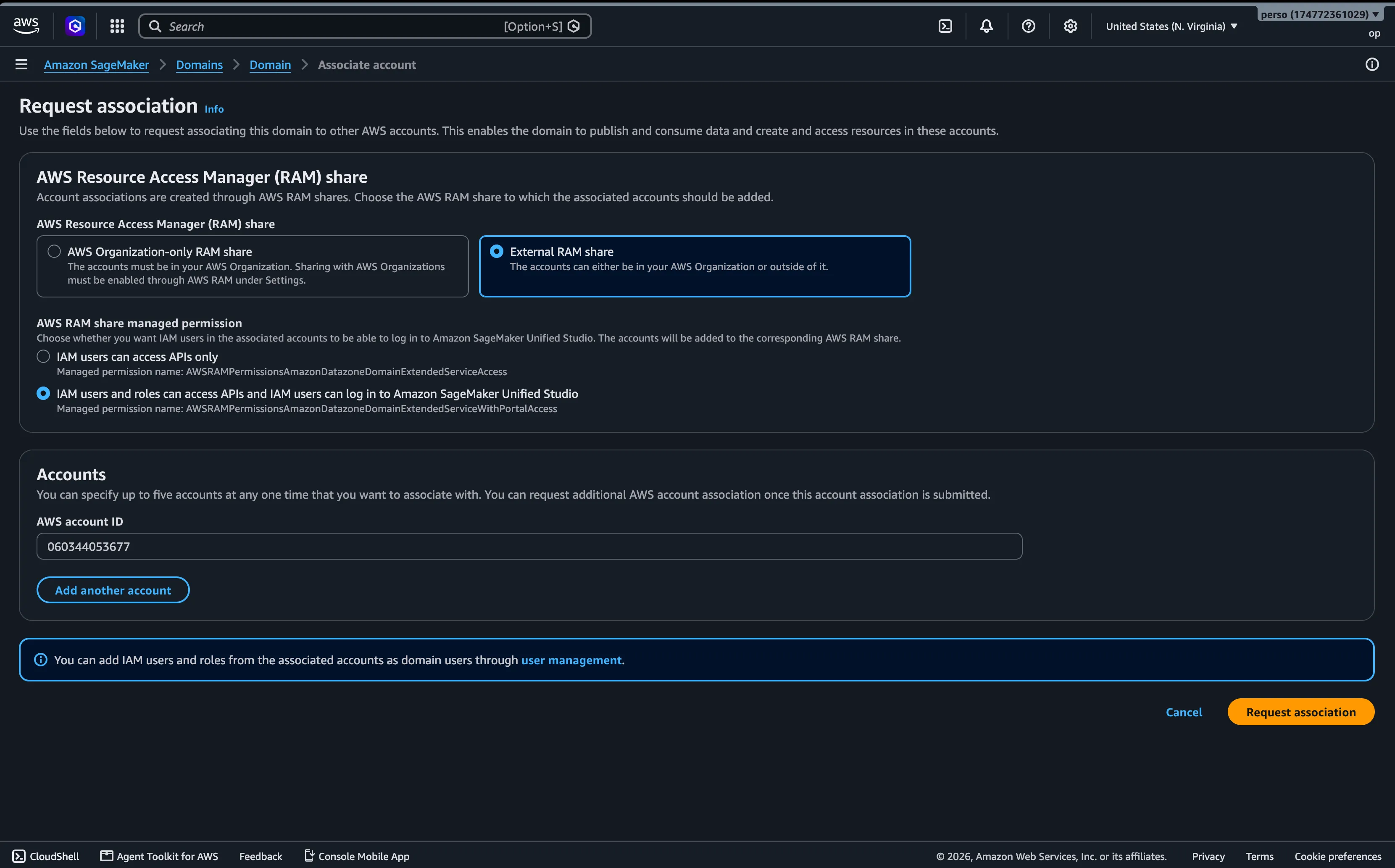
I am not using AWS Organizations, so I chose external account. The permission options differ between organization accounts and external accounts; associating an account from the same organization is usually simpler.
Choosing the second option, "IAM users and roles can access APIs and IAM users can log in to Amazon SageMaker Unified Studio", allows users to work in the same domain from the associated account. It also gives them the capacity to run API calls and actions inside the domain.
This option triggers an AWS RAM share of the domain itself, from the source account to the associated account, in the home region of the domain.
Blueprints and project profiles
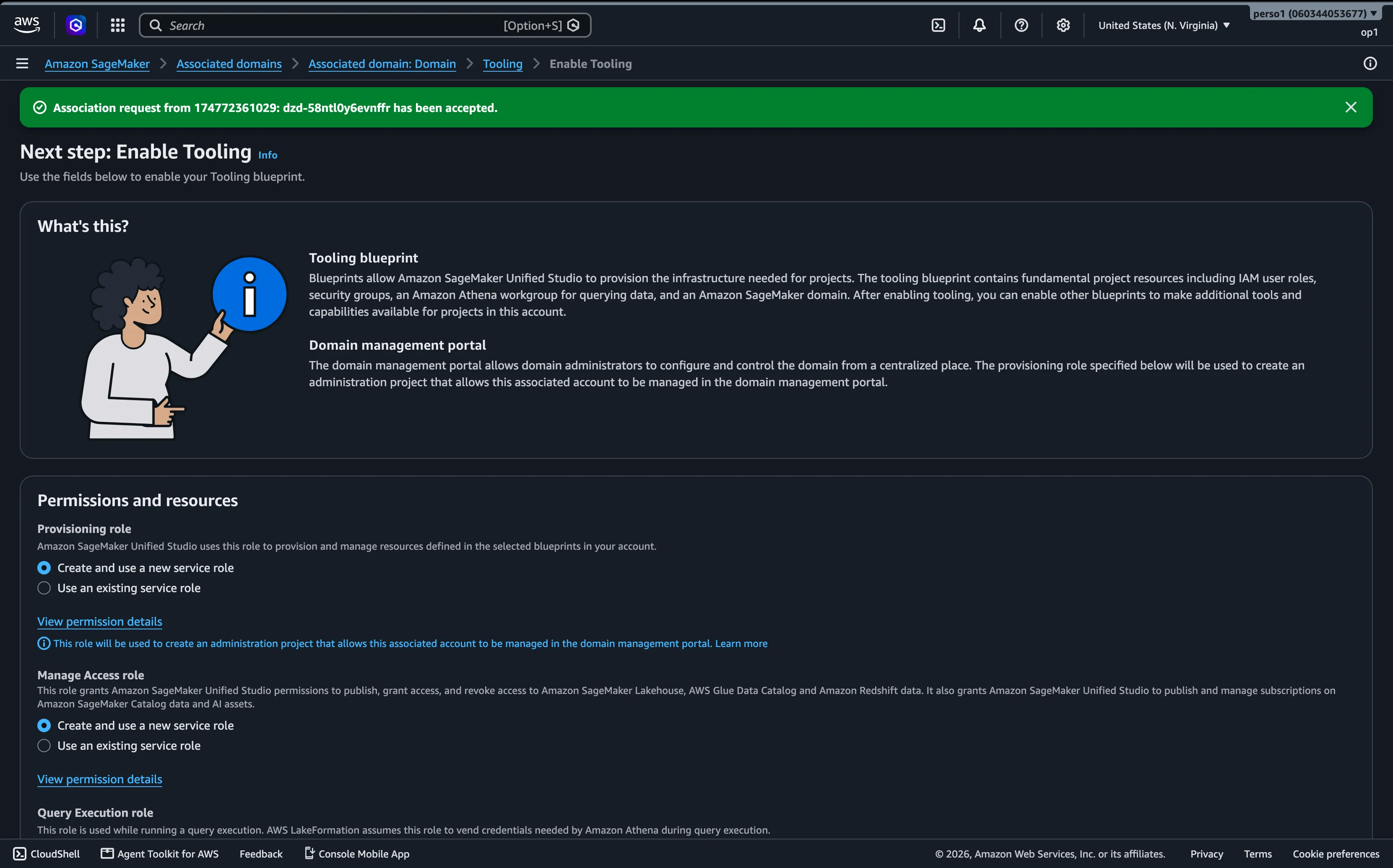
Blueprints must also be enabled in the associated accounts. The Tooling blueprint in particular must always be enabled, even in associated accounts, because its resources are used to provision the project in the correct account and region.
The Tooling blueprint has the following requirements. They must be available in each region and account you associate:
- A VPC
- Two subnets
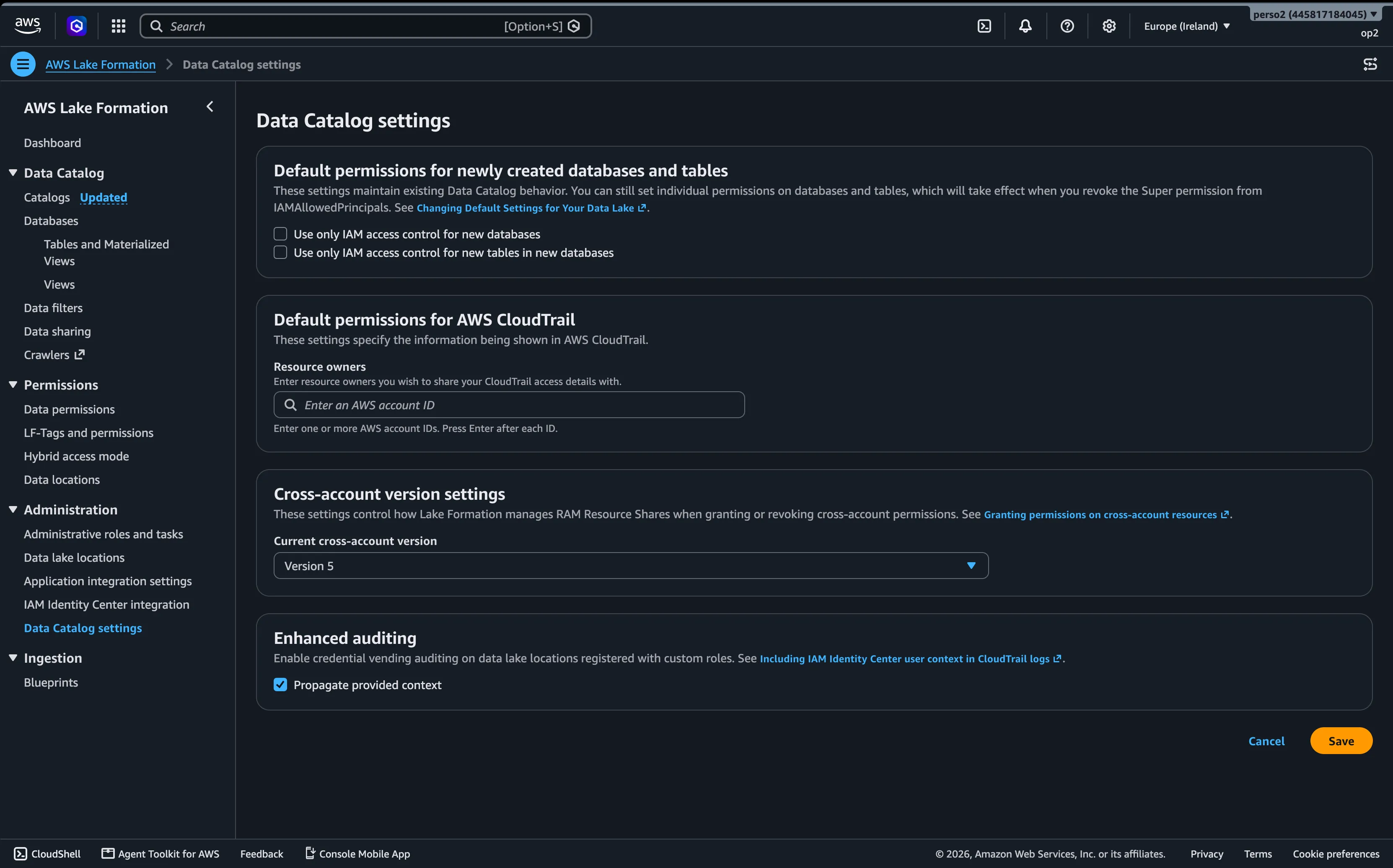
- Lake Formation enabled with cross-account sharing version 5
Cross-account
For simple cross-account project creation, enable the Tooling and Lakehouse Database blueprints. It is best to use the automatically created roles, unless you work through the API or IaC, in which case you create the roles yourself. The policies are all AWS managed, and the previous articles already covered what each role is responsible for.
Cross-region
The cross-region scenario is different. First, you need to activate the target region in the domain's Tooling blueprint. This sets up the foundation of the target region.
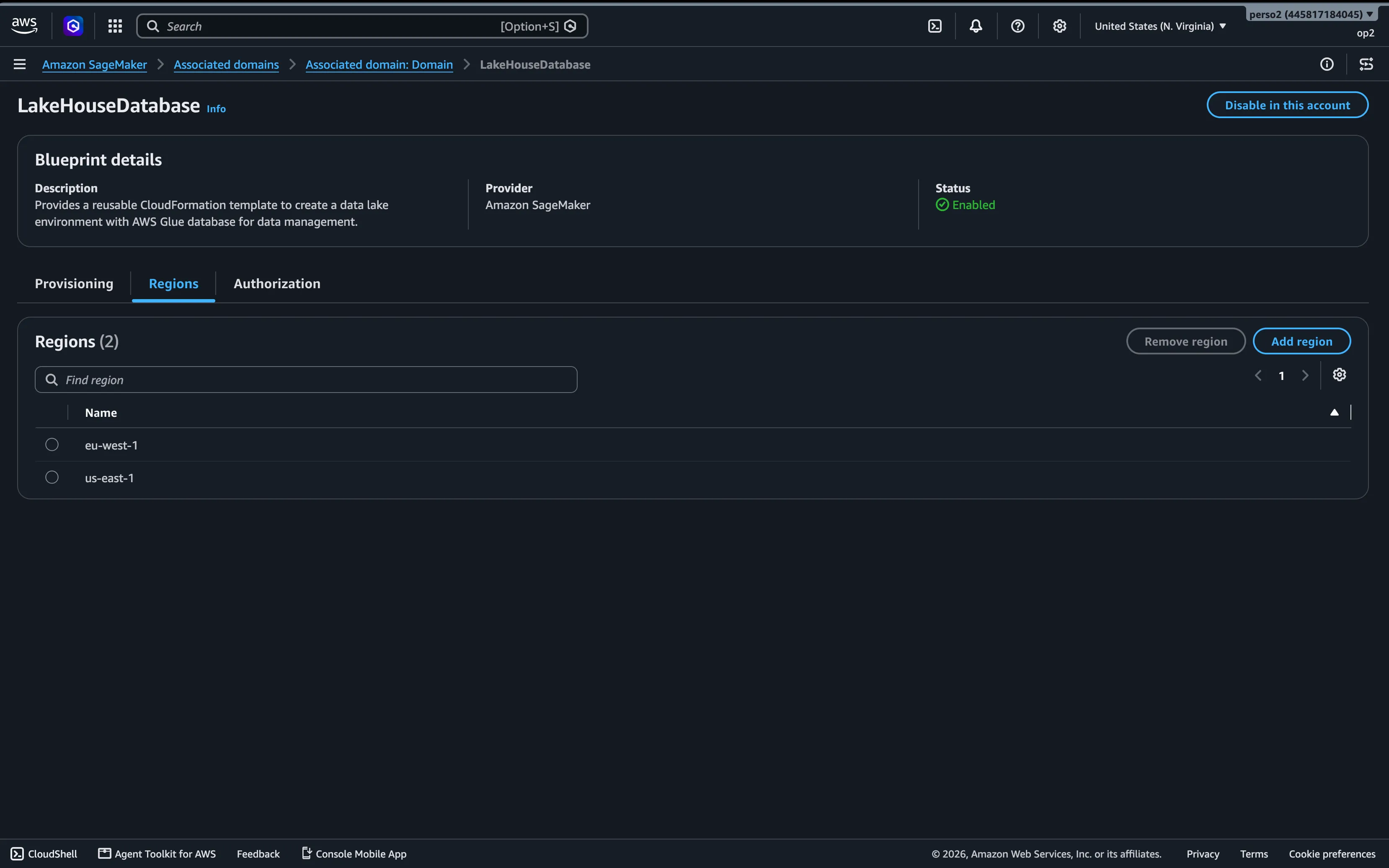
The main domain is provisioned in us-east-1, and the project will be created in eu-west-1. The Tooling configuration will therefore contain a new region: eu-west-1.
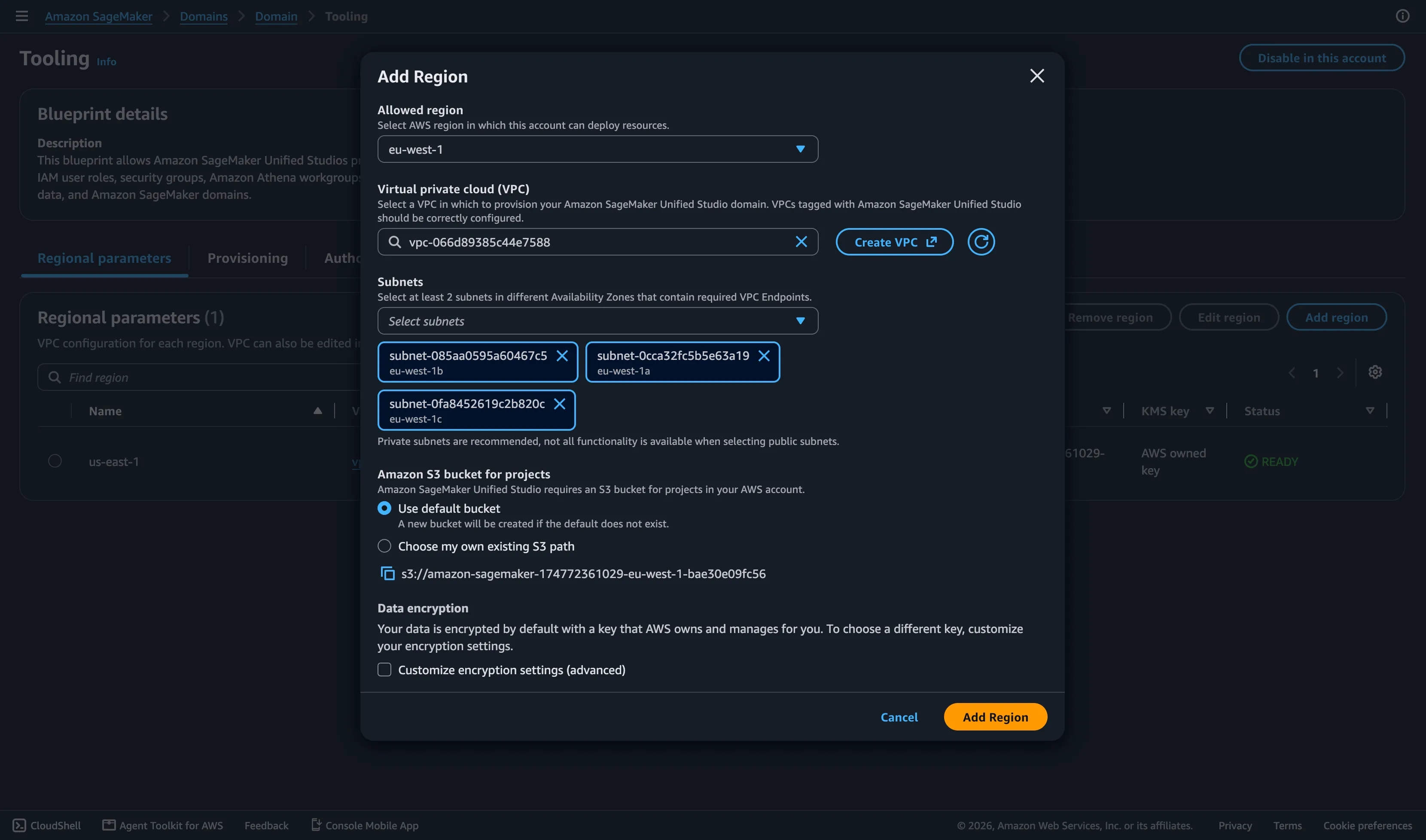
In the local account, also add the new region eu-west-1 on the Regions tab of the Lakehouse Database blueprint.
In the associated account, you must enable the Tooling blueprint as well. Remember that the domain is associated in us-east-1, so the VPC and subnet resources must be present in both us-east-1 and eu-west-1. This means the associated account enables Tooling in us-east-1 (the home region of the domain) and in eu-west-1 (the target region). Both must be present.
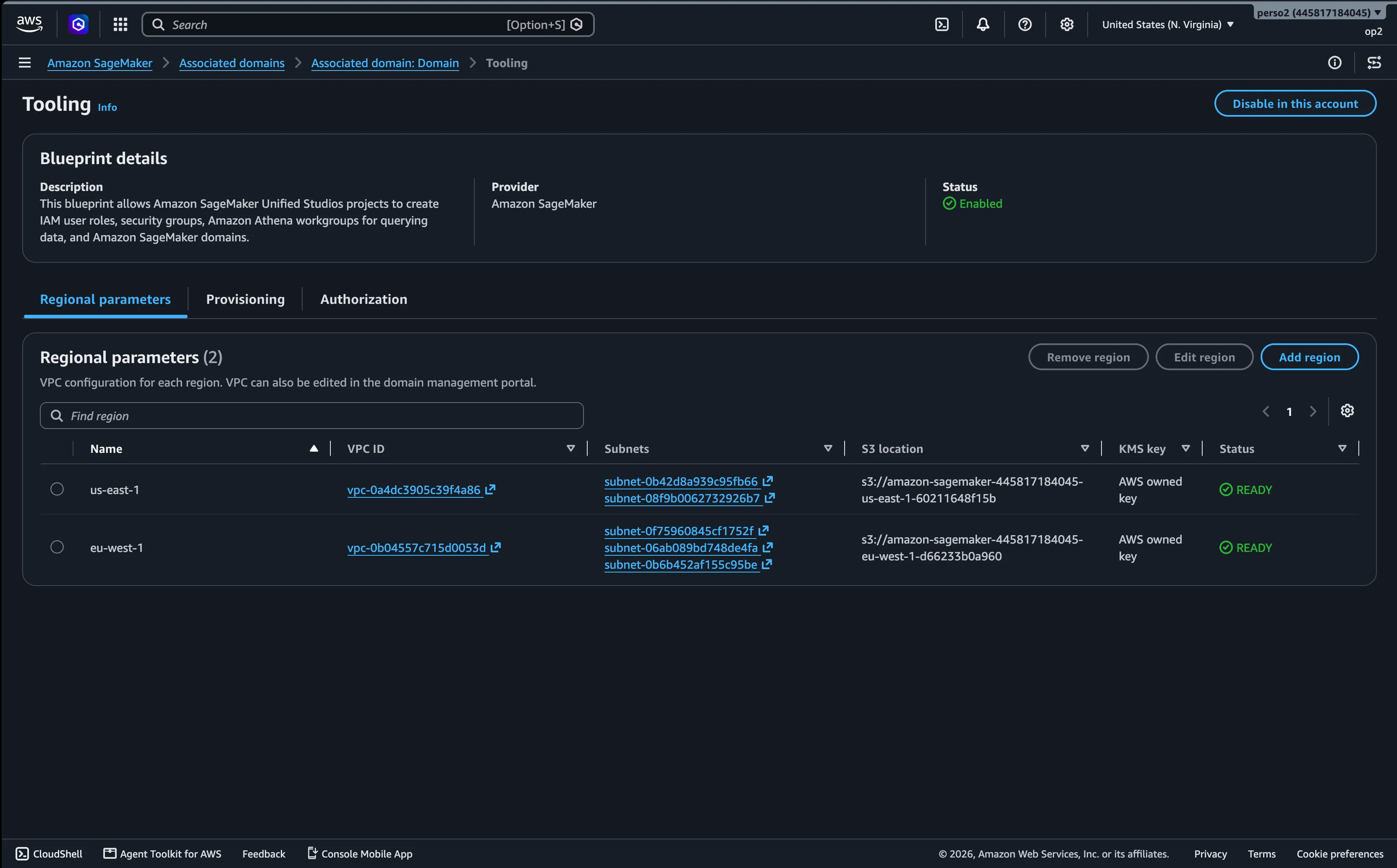
The Lakehouse Database blueprint must also be enabled, with the same region setup.
In both regions of the target account, Lake Formation must be enabled and the cross-account sharing version set to 5.
Once the blueprints are enabled, the project profiles can be created in the SMUS domain. For cross-account and cross-region project profiles, the parameters can be set directly in the profile or deferred to deployment time.
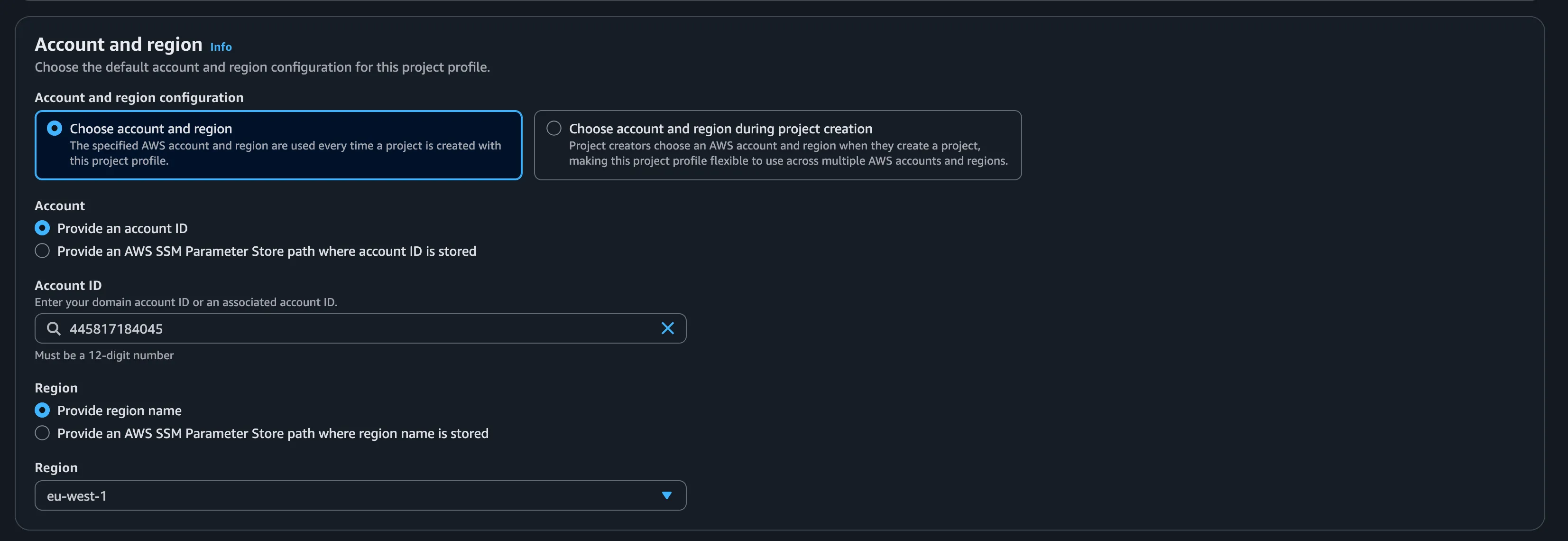
Afterwards, project creation should go smoothly once everything above is correctly set up, as seen in the previous articles. At this step the parameters are defined and the project provisioning runs.
As a reminder, a project is backed by two CloudFormation stacks. They are provisioned in the account and region defined in the project profile. For a cross-region project, its stacks will be in eu-west-1.
Sharing
Once the projects are created, assets can be subscribed to.
Cross-account
The cross-account procedure is simple. We can apply filters, but here let's share the whole table.
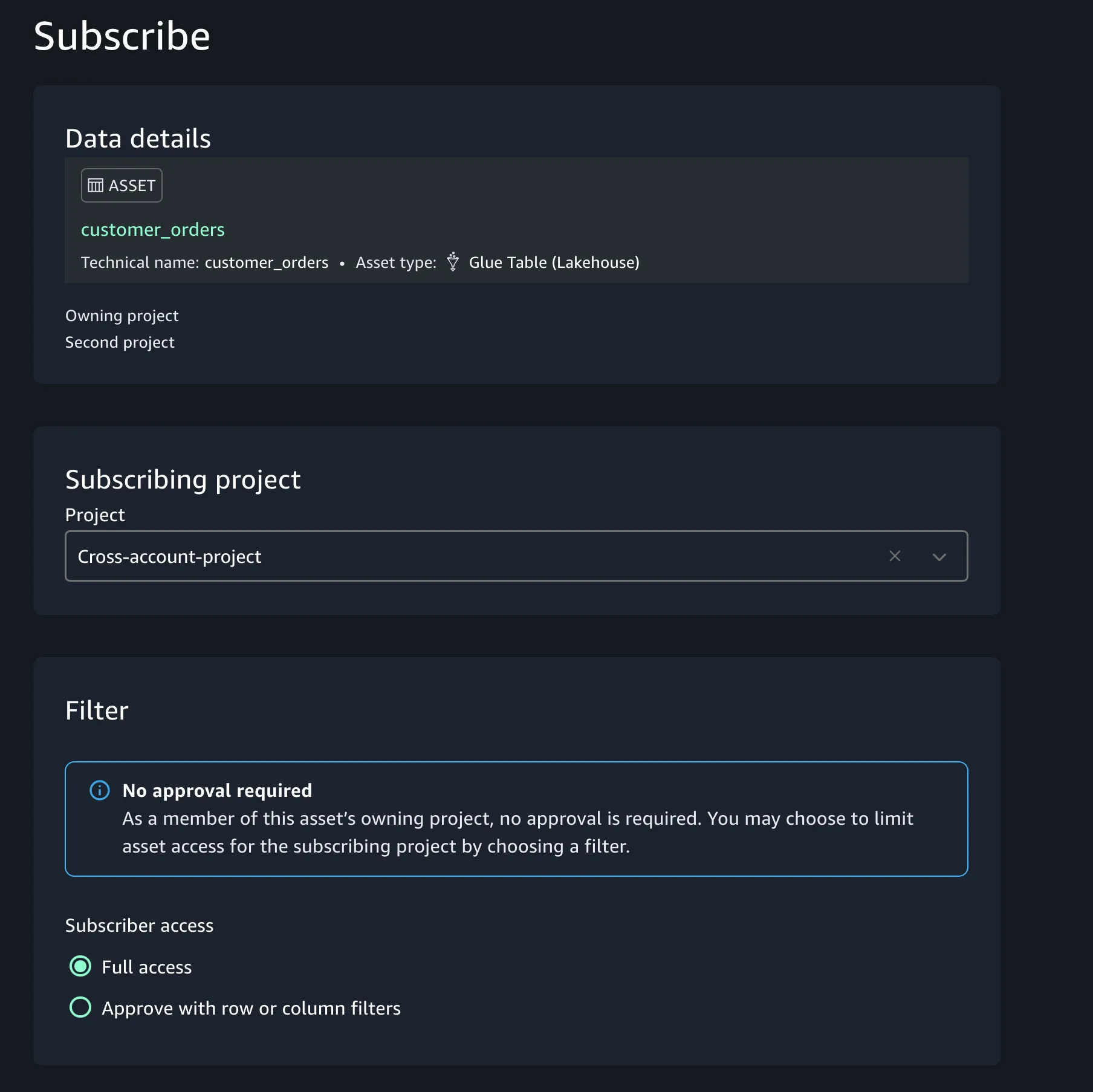
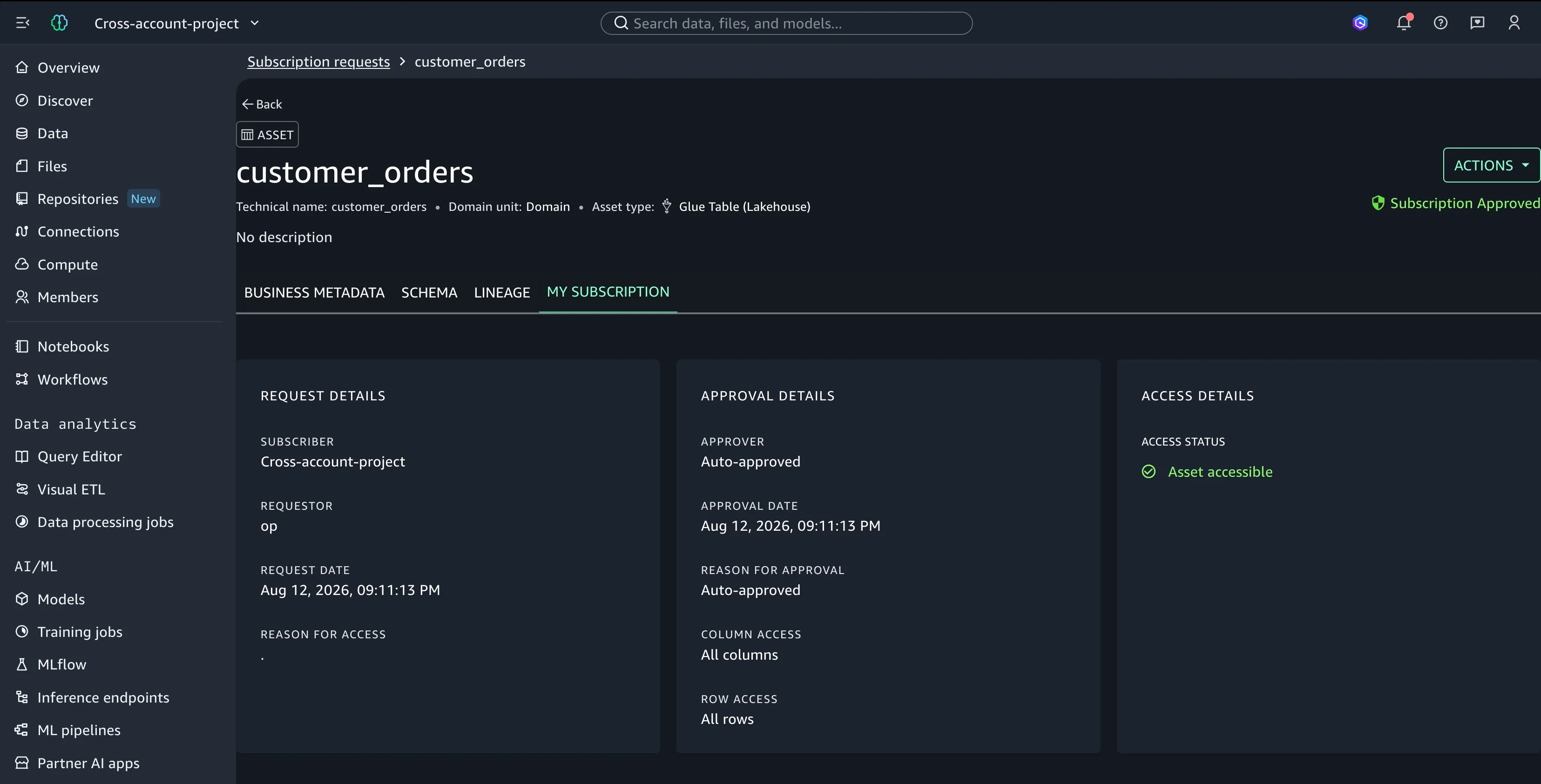
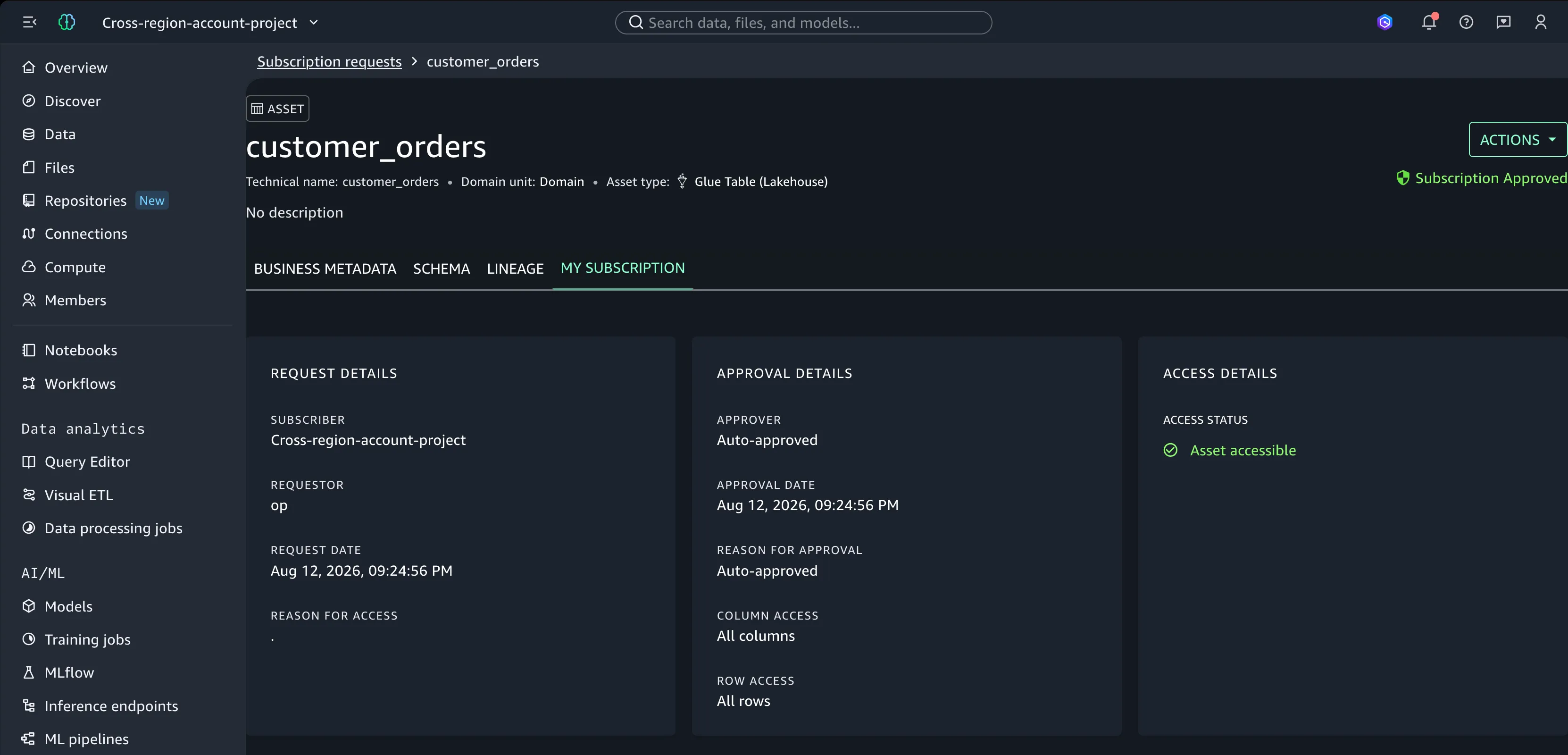
Once the request is approved (auto-approved if you own both projects), the cross-account project is granted access to the requested data asset. This is signaled by the asset becoming accessible.
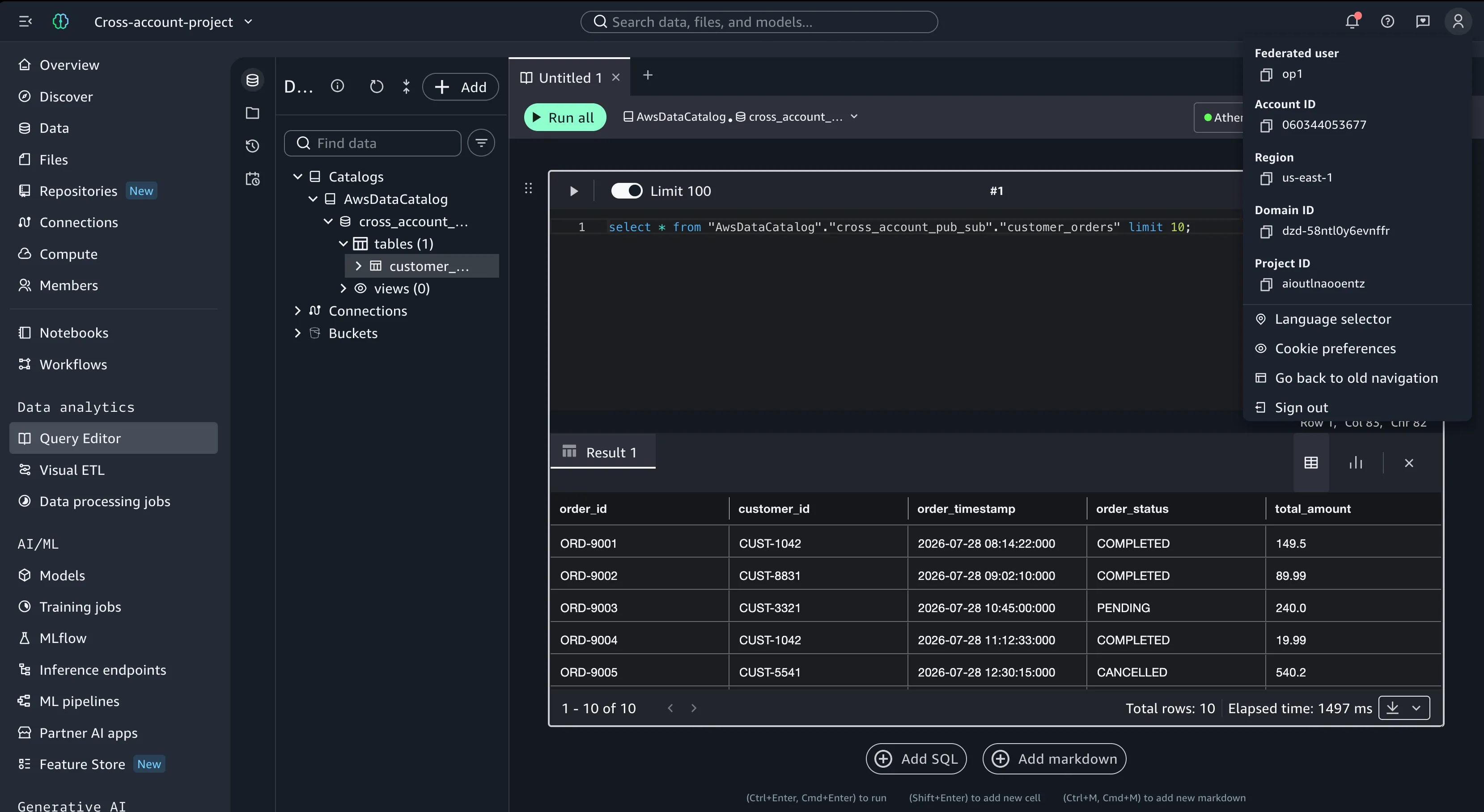
In the target account, we can connect with an IAM user and query the table directly from the domain, since we shared access during the association.
Cross-region
Before moving on, there are important limitations to take into account. Cross-region Athena queries incur S3 cross-region data transfer costs and additional network latency. While SMUS makes sharing seamless, these factors are inherent to cross-region architectures and should be evaluated against your project's performance and budget requirements.
The procedure is basically the same as cross-account, with a single difference on the first asset shared. It starts with the subscription request.
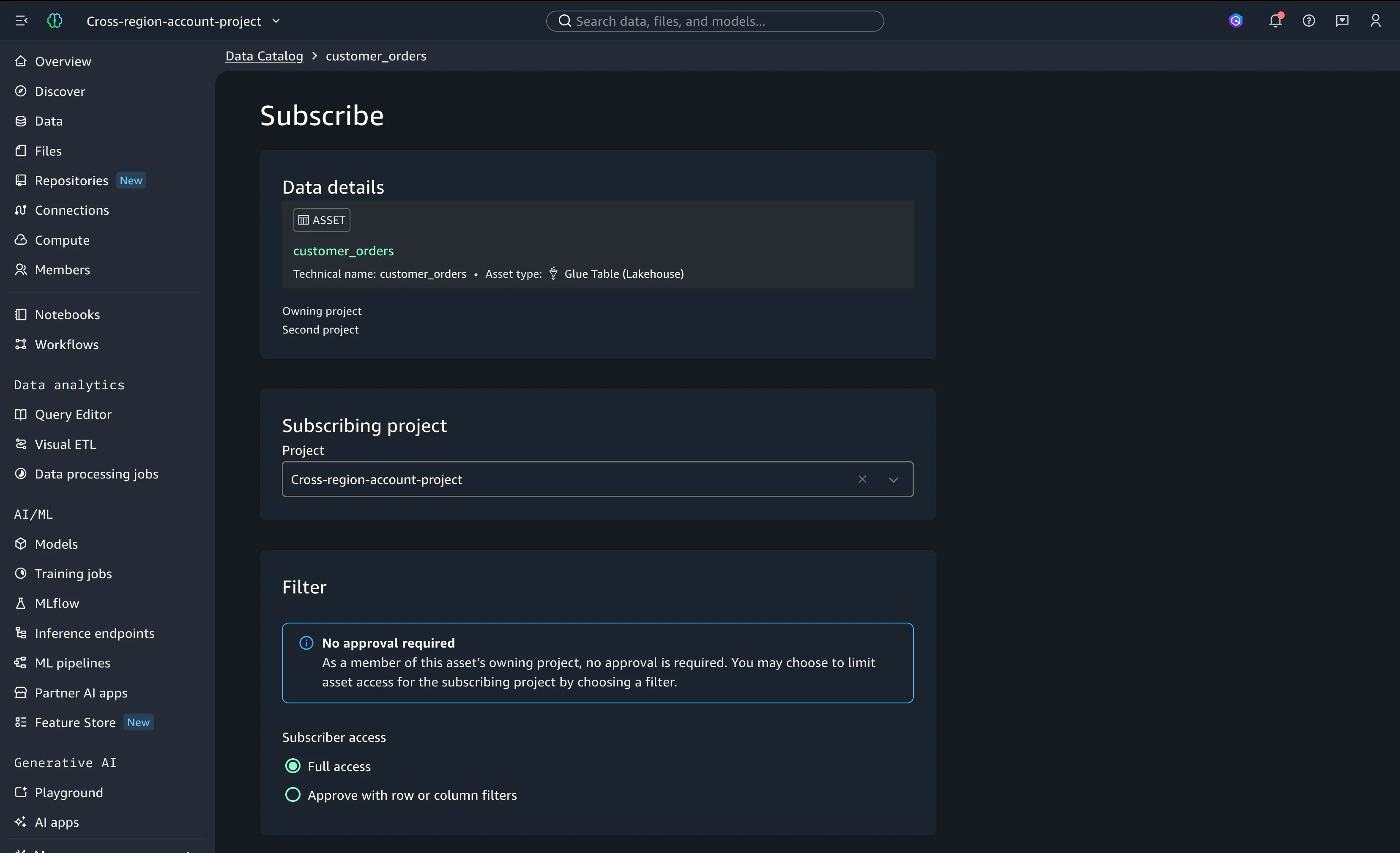
In the cross-region case, the RAM invitation is usually not approved automatically by SMUS. The first time, we need to approve it manually.
The access status may show a loading circle that spins indefinitely. In that case, verify the RAM resource share. This is counterintuitive: even though the target region of the asset is eu-west-1 after subscription, the source account sends the resource share invitation in the home region of the domain (us-east-1).
If your cross-region sharing hangs indefinitely, check the RAM invitation in the target account, in the domain's home region. In this example, that is the destination account in us-east-1.
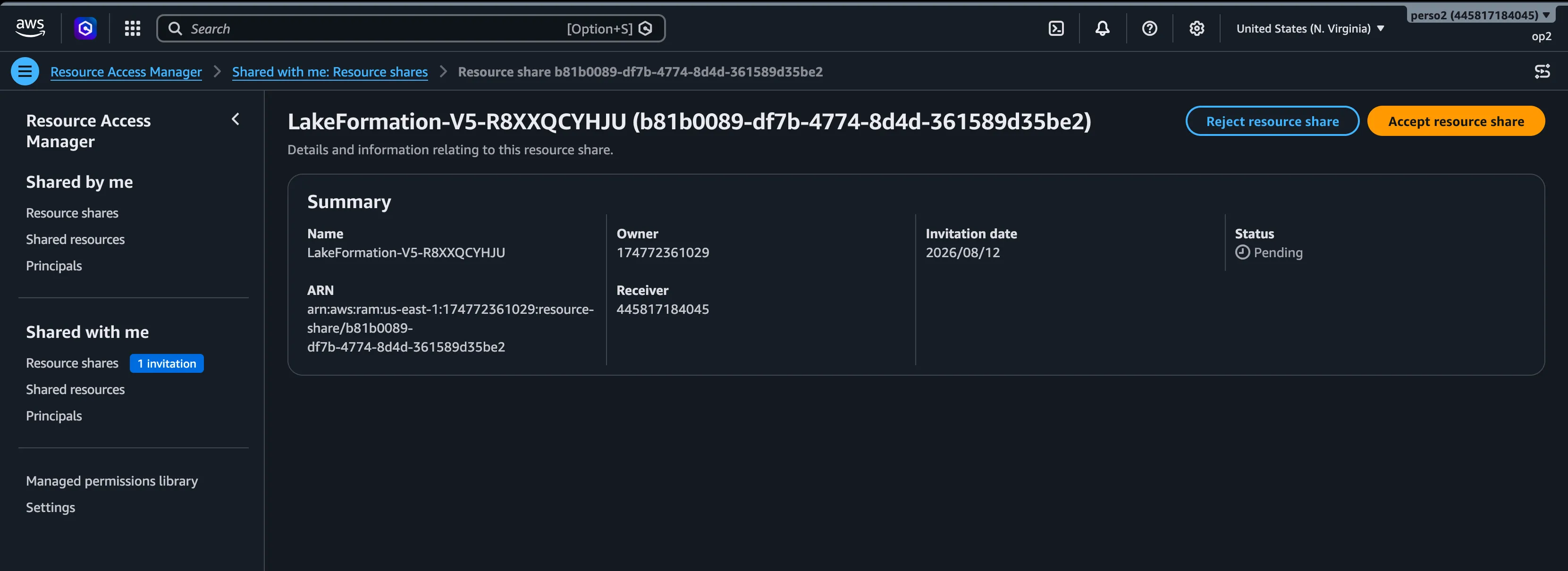
After the invitation is accepted, the asset should be available immediately. This is a one-time action done on the first subscription; the following ones work smoothly. These invitations can also be accepted beforehand, at the account association level for example.
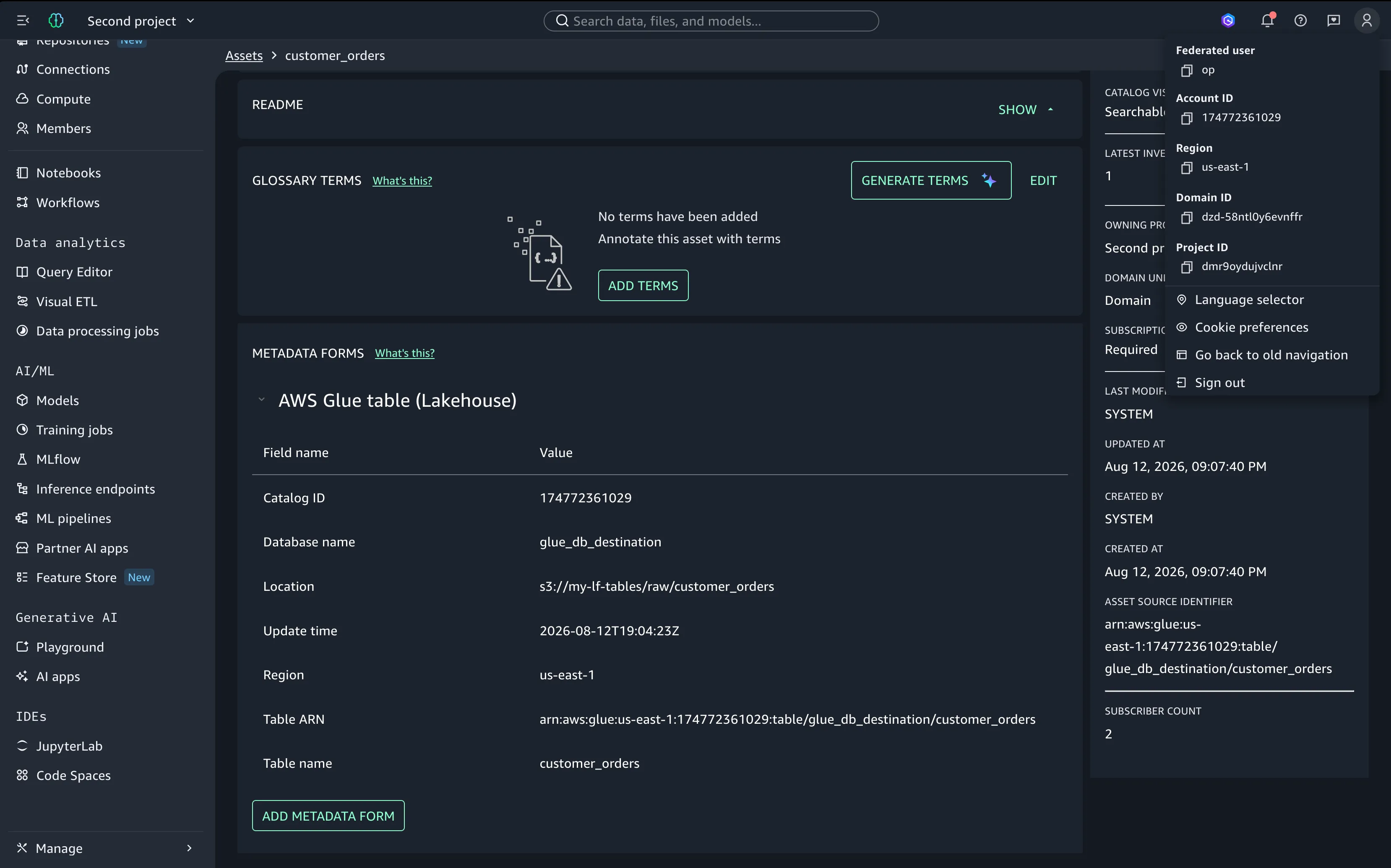
The asset can then be queried from the target account as well.
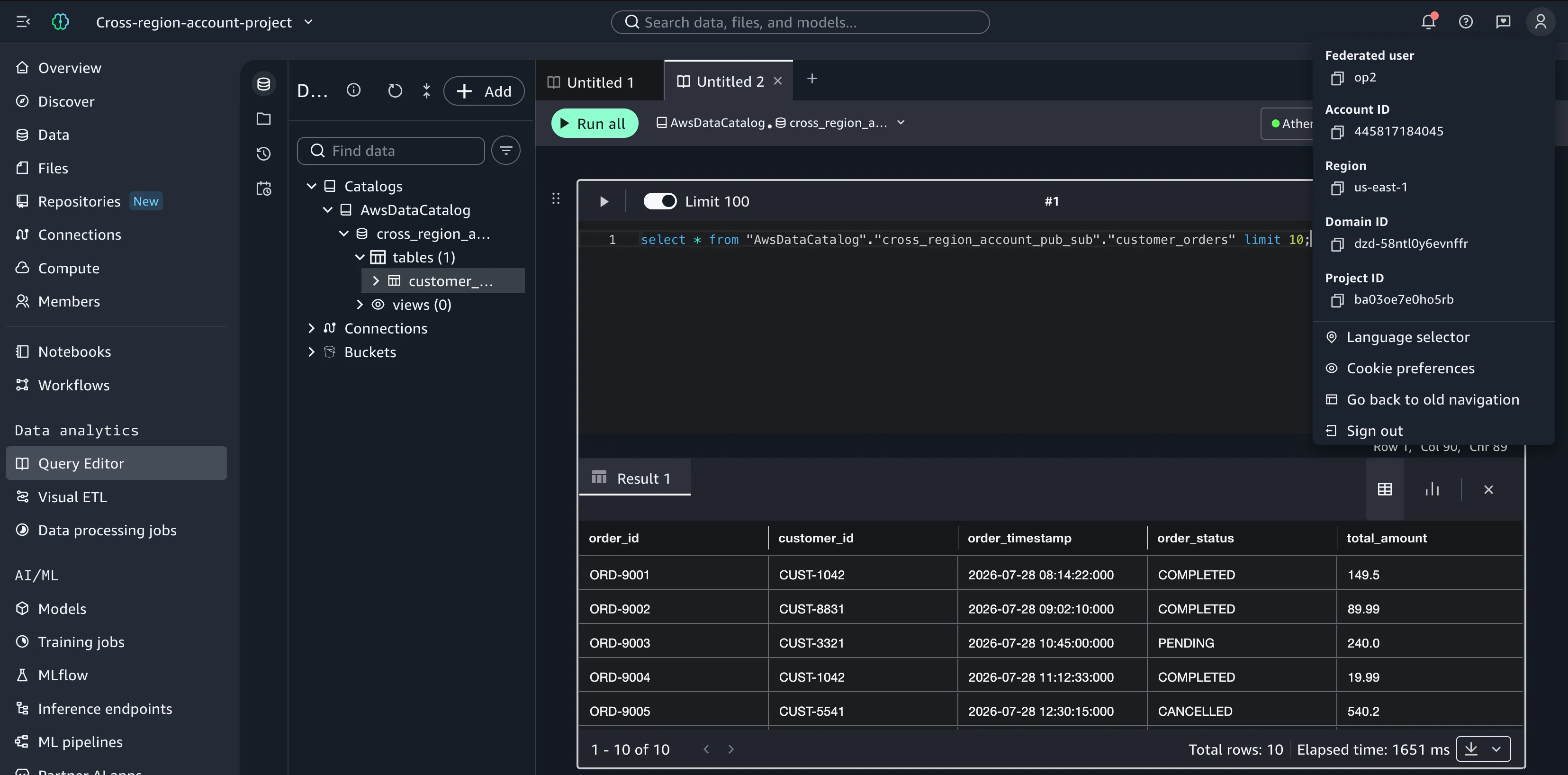
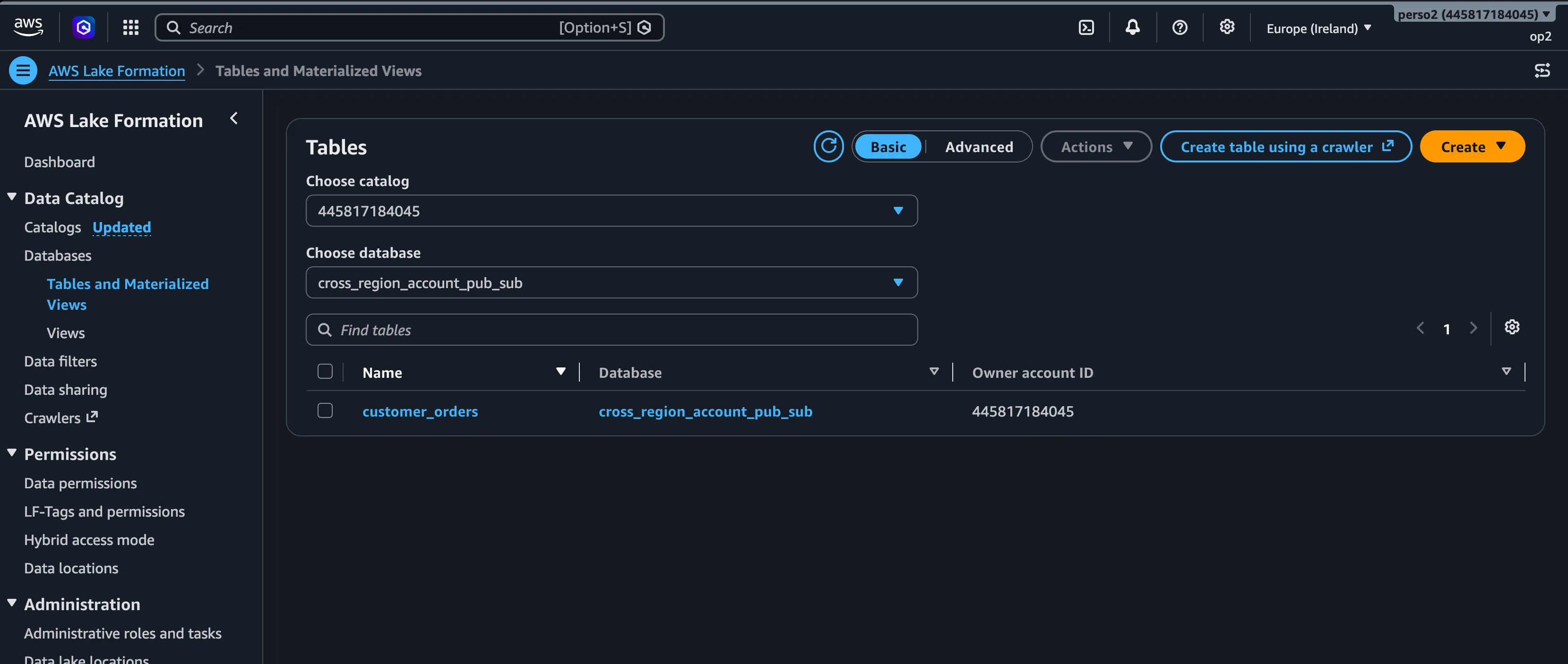
You may notice us-east-1 mentioned as the region. This is not a mistake: it is the region of the domain. The SMUS domain manages that asset across regions, and in Lake Formation it is clear where the asset actually lives.
Behind the scenes
From this point on, all asset shares should be smooth and robust. Magic? Not really. It took several articles to reach this point, and this setup lets SMUS orchestrate several AWS services for data sharing in an elegant way, especially with the arrival of Lake Formation cross-account sharing version 5.
When an asset is subscribed to, it is not copied; that would not be a data mesh. A link is created in the target account instead. This process has been automated and refined since the first version of Amazon DataZone and the early Lake Formation sharing versions, and today it is very stable.
The early Lake Formation sharing versions were granular. Version 1 created one AWS RAM resource share for every cross-account grant, so each shared table or database produced its own share. That made sense from a governance point of view but became unmanageable at scale. Versions 2 and 3 consolidated the shares per account pair and added direct sharing to IAM principals in external accounts, while version 4 added support for sharing hybrid access mode resources. Version 5 is the most scalable: it shares the whole catalog through a single RAM resource share based on wildcard patterns, and access is then controlled with conditional grants on top.
Instead of creating a RAM share per table or database, version 5 shares the whole catalog once. This makes it a one-shot action and greatly simplifies RAM operations at scale. Between the first DataZone release and the current SageMaker Catalog generation, many race conditions were identified and fixed, which makes the sharing process reliable and parallelizable at production scale. It gives the data connectors and AI tools in SMUS smooth, direct access at production grade. When you automate through the API, in my experience, a pace of 1 TPS is recommended and no more, since most SMUS actions orchestrate Lake Formation, RAM, CloudFormation and more.
This evolution is so good that we can automate data sharing with Lake Formation version 5 alone. If you only need the cataloging feature and none of the other SMUS capabilities, it is simpler to automate this sharing system directly on top of the version 5 RAM strategy.
However, if you already use SMUS with its data and AI capabilities, it makes sense to use SageMaker Catalog. The setup is long, but the outcome is promising: pain-free data asset sharing between AWS accounts and regions.
Bring your own role
In theory, adding a principal to the subscription target of your Lakehouse Database blueprint environment grants external access automatically. This applies to new subscriptions only: SMUS applies the new configuration to new subscriptions, and older subscriptions do not get the grant on the role.
In practice, if you already have assets in the project, newly granted roles in the subscription target will not have access. To grant access, either refresh the subscription (revoke and subscribe again) or use Lake Formation grants directly.
There is another limitation: a subscription target accepts only unique roles. Once a role has been assigned to a subscription target, the same role cannot be assigned to another subscription target.
We can bypass this, because behind the scenes it is a Lake Formation cross-account or cross-region sharing procedure. It goes like this:
- The subscription is requested and approved.
- Lake Formation permissions are granted from the source account on the shared table, for all principals in the subscription target of the destination project (subscription targets were covered in the previous articles).
- The RAM share is verified; if it is not present, it is approved automatically in the target account (except cross-region).
- A Glue resource link is created in the target account.
The same process can be applied outside SMUS. It is basically the setup required to access cross-account or cross-region Lake Formation Glue assets. SMUS not only automates this process, it also wraps it in impressive operations management at scale. In our case, most of the steps are already done, because we are trying to access an existing subscription: the RAM share and the Glue resource link are already present. Only the Lake Formation grants remain.
I have never managed to grant cross-account principals through the Lake Formation console, but it is possible to do it through the API.
The asset owner grants DESCRIBE and SELECT on the asset (or on the assets of a database) to the cross-account principal. This is logical: the asset owner is the one sharing the asset.
Warning: Manually granting Lake Formation permissions outside SMUS creates governance drift. SMUS does not track these manual grants, meaning a subscription refresh will not revoke them, and any data filters configured via SMUS will not be enforced.
Grant Lake Formation permissions
This is a cross-account grant. It normally triggers a RAM share invitation, but since we use Lake Formation version 5, the whole catalog was already shared.
Checking the granted permissions, we can identify the subscription target principals by:
AllIAMPrincipals: a local-account conditional grant with a regex matching SMUS and the project id.<account-id>:IAMPrincipals: a cross-account conditional grant with a regex matching SMUS and the project id.
The grant on op2 also appears with the external account id. It does not match the conditional grant pattern used by SMUS, but it gives full access to the asset with no conditions applied. Using this role, you can access the asset from any other service.
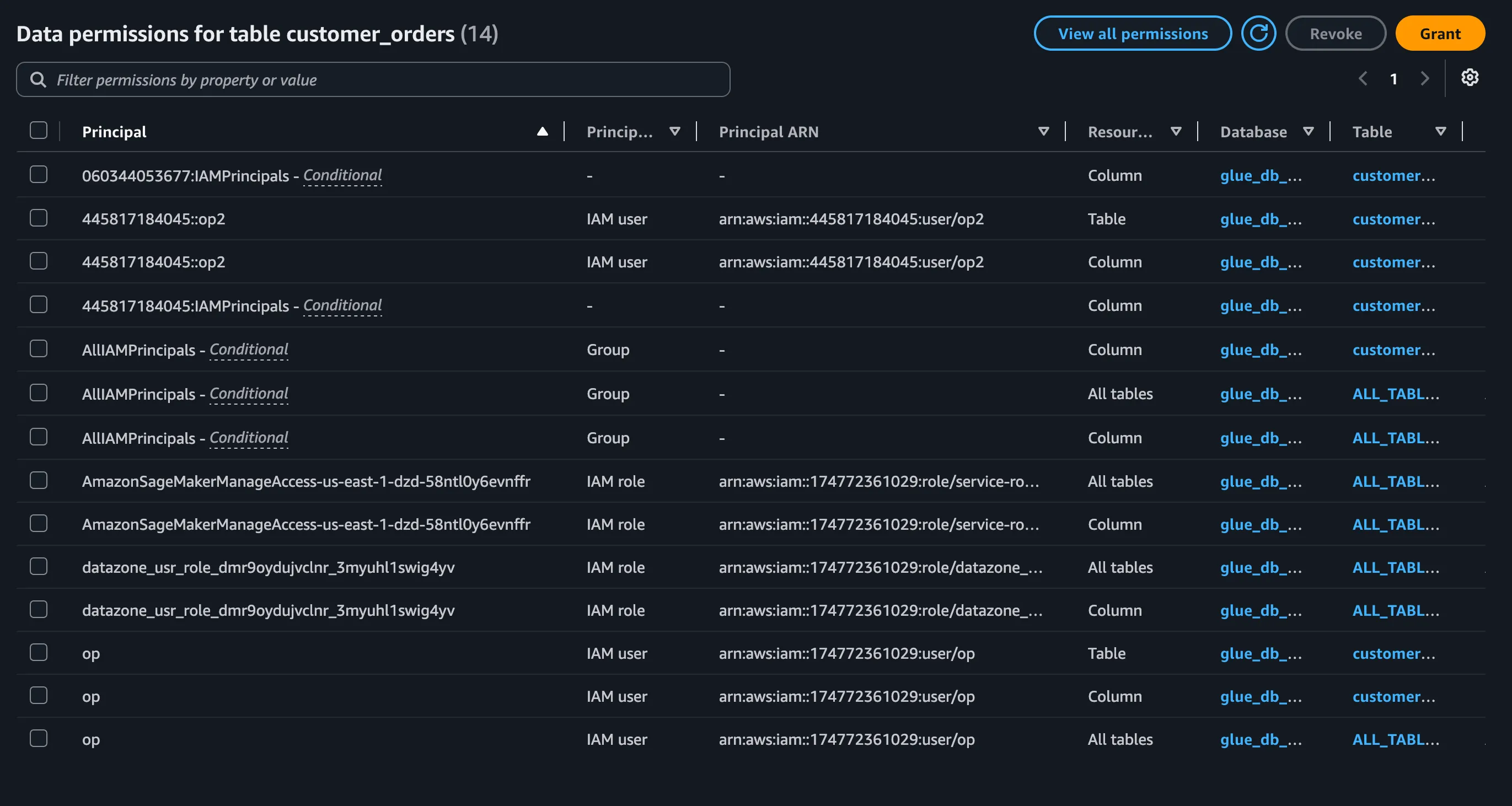
The example above grants access to the cross-account, cross-region shared asset. Going to Athena with the granted principal, we can see that the asset is accessible in the eu-west-1 region.
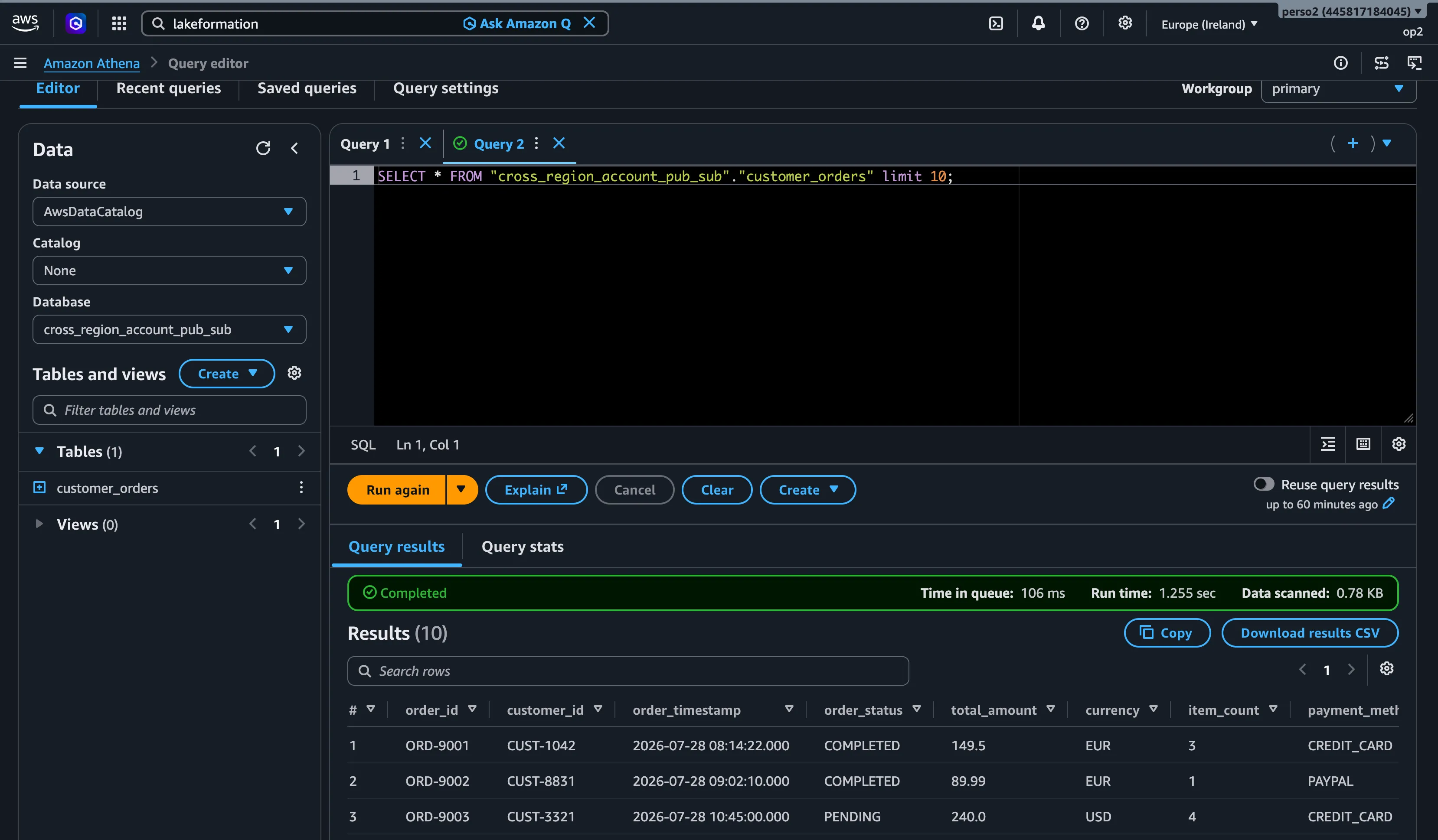
The access is full. If the assets were shared in the project with row and column filters, those filters will not be visible here, because the filters are applied on the Lake Formation grant when the subscription is granted. The same filters must be added to the manual cross-account grant above if you need them.
The evolution of Lake Formation RAM sharing is a refreshing change. It allows SMUS cataloging to work perfectly at scale, and it is great to see services evolve in a way that facilitates data asset cataloging, not only at scale but with mesh capability. If you run your own Lake Formation cataloging solution on AWS APIs, version 5 considerably reduces the operations footprint and makes the automation both easy and robust.
SMUS can take full advantage of this, offering excellent cataloging features to the data services and applications that run in it.