Deploying ADK Agents
Deploying ADK Agents
In my previous articles I built a BigQuery data assistant with Google ADK and evaluated its behavior. Both times the agent ran locally in my terminal. This article is the continuity: getting the same agent out of my machine and onto GCP.
I explore three deployment paths, all driven by the agents-cli tool from Google. An agent defined with ADK can be deployed to a managed Agent Engine backend (now branded Agent Runtime under Agent Platform in the console, matching the agent_runtime target) or to a Cloud Run backend. Cloud Run itself comes in two flavors: a fully auto-scaffolded service for quick starts, and a Terraform-managed service for teams that want infrastructure as code. The CLI also accepts a gke target for Kubernetes clusters, which I leave out here to focus on the serverless options.
I created the agent-on-gcp repository to showcase these methods. The main branch contains the agent source code plus the scripts that deploy and destroy it. A second branch, feature/cloudrun-agent, adds a Terraform configuration that provisions the Cloud Run infrastructure the agent is deployed onto.
Prerequisites
All paths require a service account for the agent. It allows the agent to call the services it needs to answer prompts, write telemetry and logs, and reach the MCP server and skills registry.
Best practice is to scope this service account to exactly what the agent does, so tool executions stay under control. Since this agent is a BigQuery data assistant, it is limited to data access capabilities plus observability. The roles attached to the principal are:
roles/bigquery.dataViewerroles/bigquery.jobUserroles/aiplatform.userroles/mcp.toolUserroles/cloudtrace.agentroles/monitoring.metricWriterroles/logging.logWriter
The repository comes with support for provisioning this service account. On main it is done by the setup_iam.sh script, which creates the bq-agent-sa service account and grants the roles above. On feature/cloudrun-agent it is done by the Terraform IAM module with the same role list.
NOTE
The Agent Engine and Cloud Run deployment scripts call the IAM provisioning step automatically, so there is no separate command to run.
Agent Engine vs Cloud Run
Honestly, both methods are excellent and answer specific use cases. Two properties are the real differentiators and can help with the choice:
- Managed features: Agent Engine comes with session management, memory, revision control and security tracing built in. Cloud Run gives you a container endpoint and nothing more, everything else is yours to build.
- Infrastructure ownership: Cloud Run gives full control over the infrastructure, from scaling to networking to custom session storage. Agent Engine abstracts all of that away.
Both deployment methods can be published afterwards on the Gemini Enterprise platform, but with different takes, as I will detail in the conclusion.
Agent Engine
Deployment
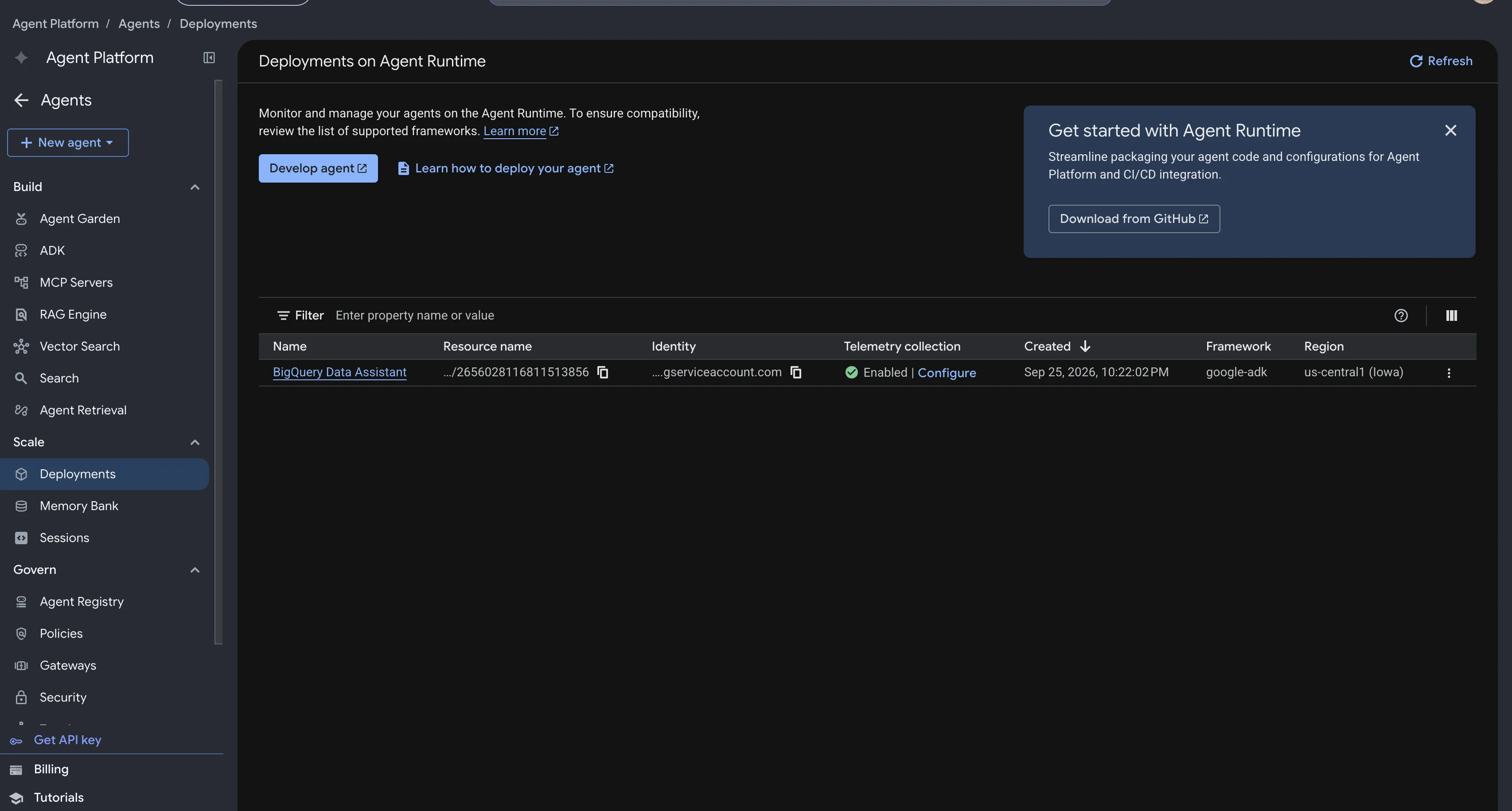
Agent Engine is an excellent choice when you want a managed AI and agent execution ecosystem. It comes with a variety of features under Agent Platform > Agents > Deployments in the Google Cloud console.
agents-cli can deploy an ADK agent to Agent Engine from the code definition alone. It scaffolds the Dockerfile, the configuration and the deployment files for you:
Scaffold for Agent Engine
By default you keep control over the generated configuration, and you can change it by editing the generated agents-cli-manifest.yaml before deploying.
Deploying builds the container image and provisions a reasoningEngine resource to run the agent on:
Deploy to Agent Engine
Apart from the obvious inputs, the deployment command takes:
--service-account: the agent service account, already created at this stage.--update-env-vars: here it enables telemetry, which gives much better monitoring of the agent execution.
The full deployment is automated by a single script, deploy_agent_runtime.sh:
Deploy Agent Engine via script
The script creates the service account, cleans any previous scaffold, scaffolds a fresh configuration, patches it (the scaffold template currently pins an ADK version without the mcp extra, so the patch repins it to make MCP work out of the box) and finally deploys the agent engine:
You can destroy the deployed stack with destroy_agent_runtime.sh:
Destroy the Agent Engine stack
The script removes the service account bindings, cleans the scaffold and deletes the agent through a direct API call (or agent_engines.delete() from the Vertex AI SDK), because the CLI tool offers no command to destroy deployed agents:
Delete the reasoning engine
Deployments are tracked by a state file, deployment_metadata.json, written inside src/agent/. It records, among other things, the id of the reasoning engine, and it is what makes a redeploy an update instead of a duplicate. Deleting it means the next deployment creates a new engine. How you maintain it depends on usage: on production it should live in remote storage so CI can reach it, while for testing or solo projects keeping it locally is fine.
Testing
The agent page in the console is packed with useful overviews and tools.
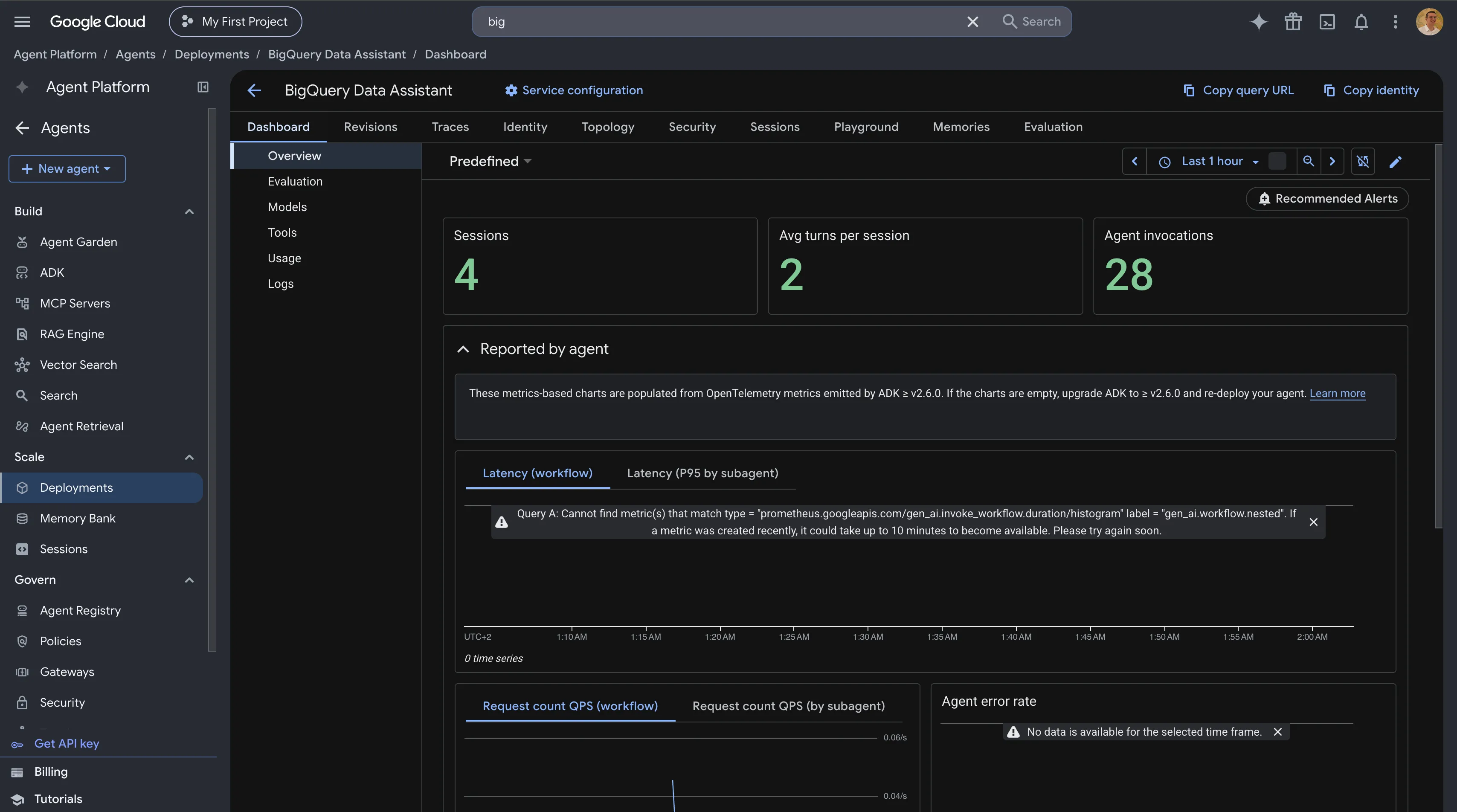
On the overview I can follow the invocations on the agent, including traced subagent calls, networking data and execution metrics:
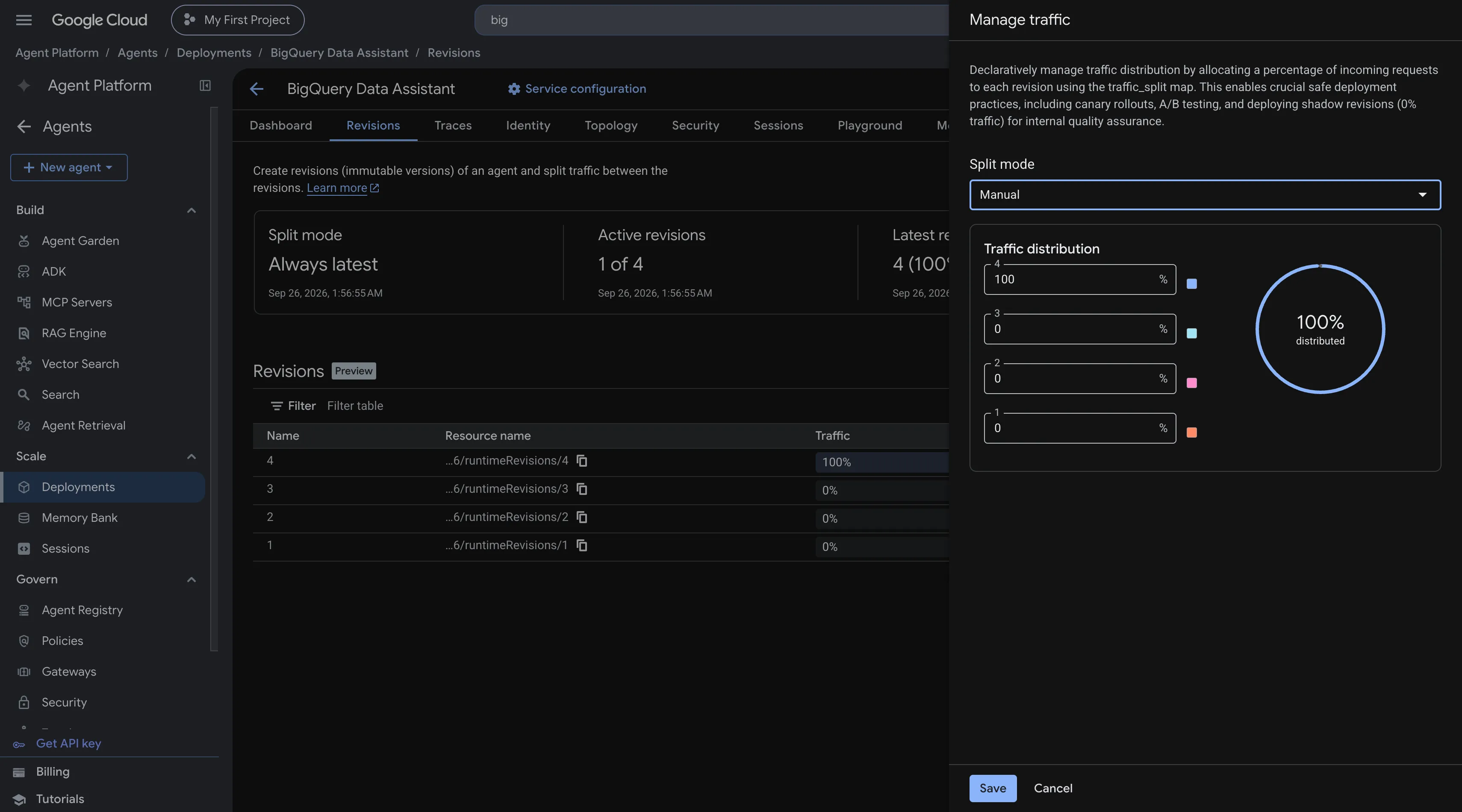
On the revisions page I can choose which revision to serve after updates, and even split traffic by percentage. That covers canary rollouts and quick rollbacks in production:
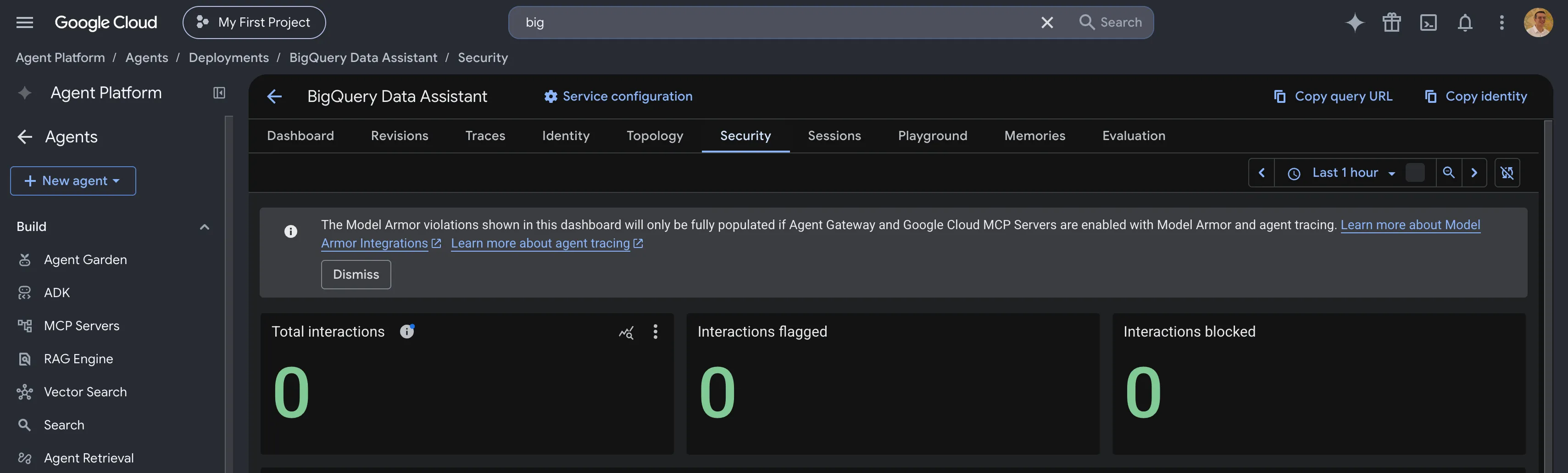
There is also a security tab tracing the violations detected in conversations, aligned with the security settings defined in the ADK code definition. More on security in the next articles:
The memory tab is used for memory banks, a long term memory storage that lets the agent remember information persisted over time. It can be used to enrich the agent with knowledge.
On the playground tab I can interact with the agent directly and follow sessions:
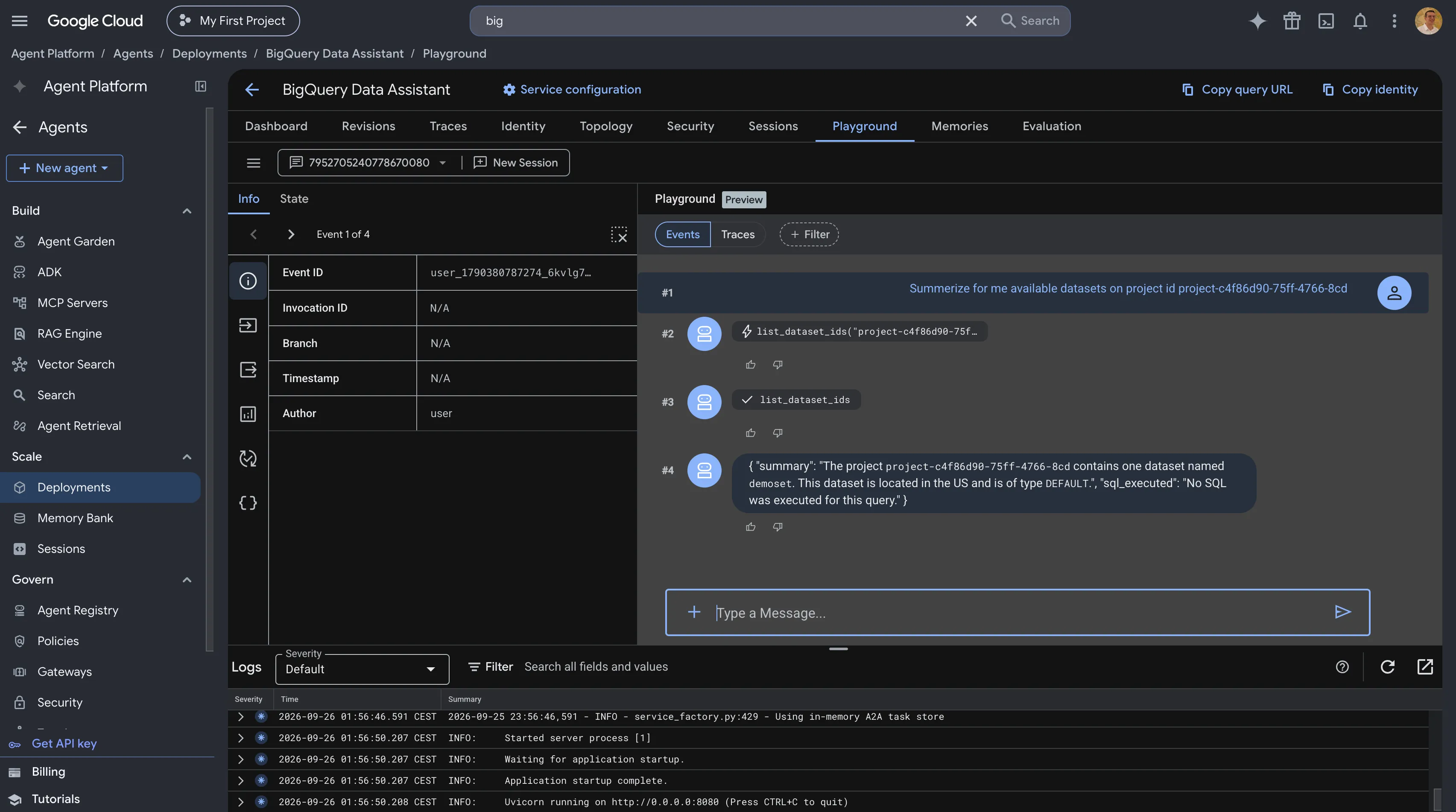
I can start a new session or pick an old one to continue, because the engine stores sessions natively and keeps older sessions available:
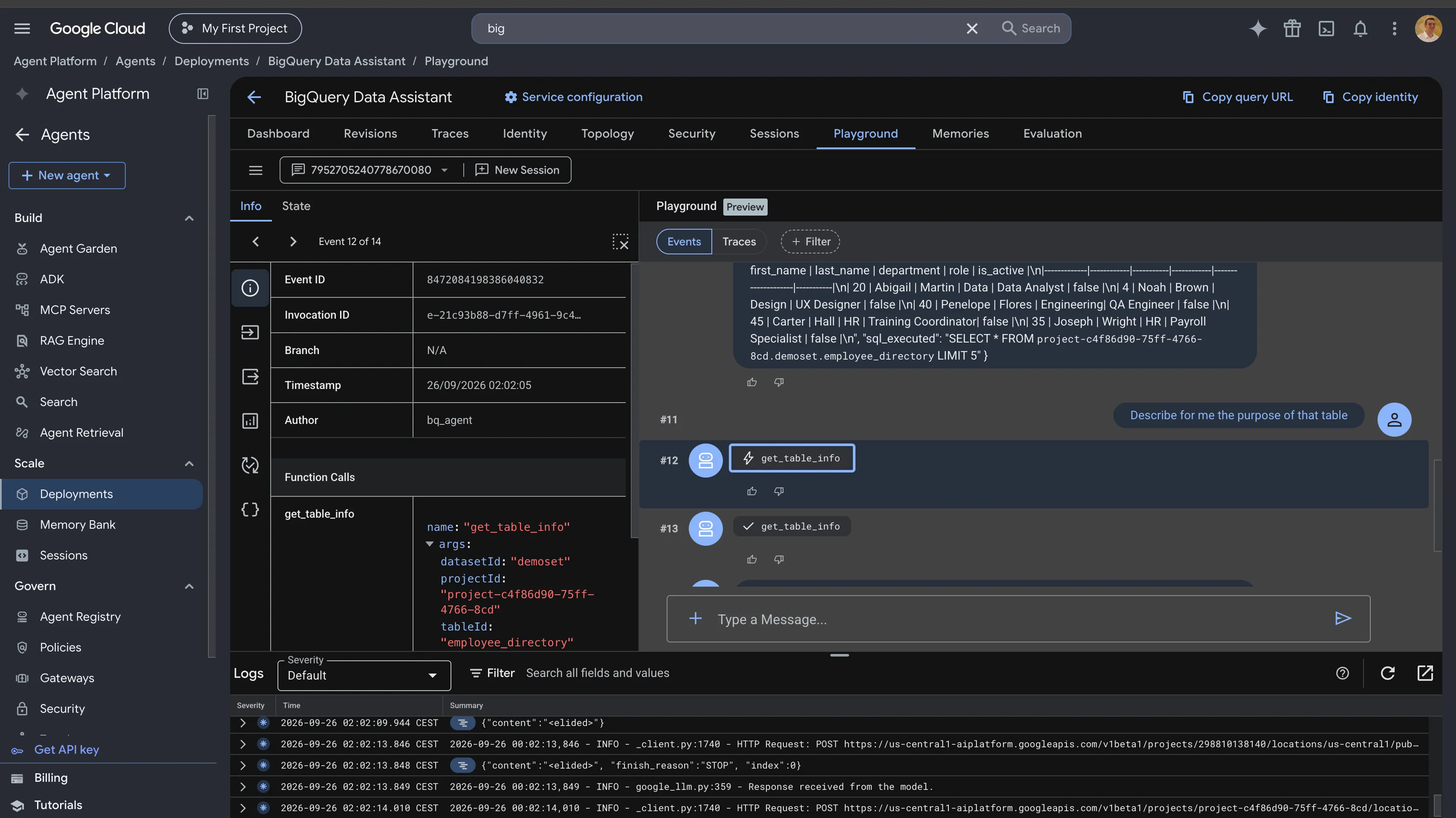
I can also inspect each event individually. They are traced with the input and output of every called tool, and the messages carry helper flags and metadata that guide the consuming client on status and display.
The agent can also be tested from the CLI or programmatically, since the playground capabilities are available over the API as well:
Query the deployed agent
Cloud Run
There are almost no AI-centric features to describe within Cloud Run. Still, it remains a great deployment path for stacks that require custom session management or developer-governed behavior, as well as RAG capabilities. The Cloud Run method offers a very wide range of customization, but the whole infrastructure must be managed by you, even if agents-cli manages the Cloud Run service itself.
There are two ways to deploy the agent on a Cloud Run backend. The first one, on main, is suited to quick starts and development. The second one, on feature/cloudrun-agent, brings Terraform into the loop.
One important limitation: with the Cloud Run backend there is no managed session storage in the scaffolded setup. Sessions are generated in memory, which means they live as long as the service is up and are lost as soon as it scales down. You can set the minimum number of instances to 1 to always keep sessions, or introduce a self-managed session solution. Scaffolding and deployment settings like session memory can be adjusted in the generated agents-cli-manifest.yaml.
Deployment
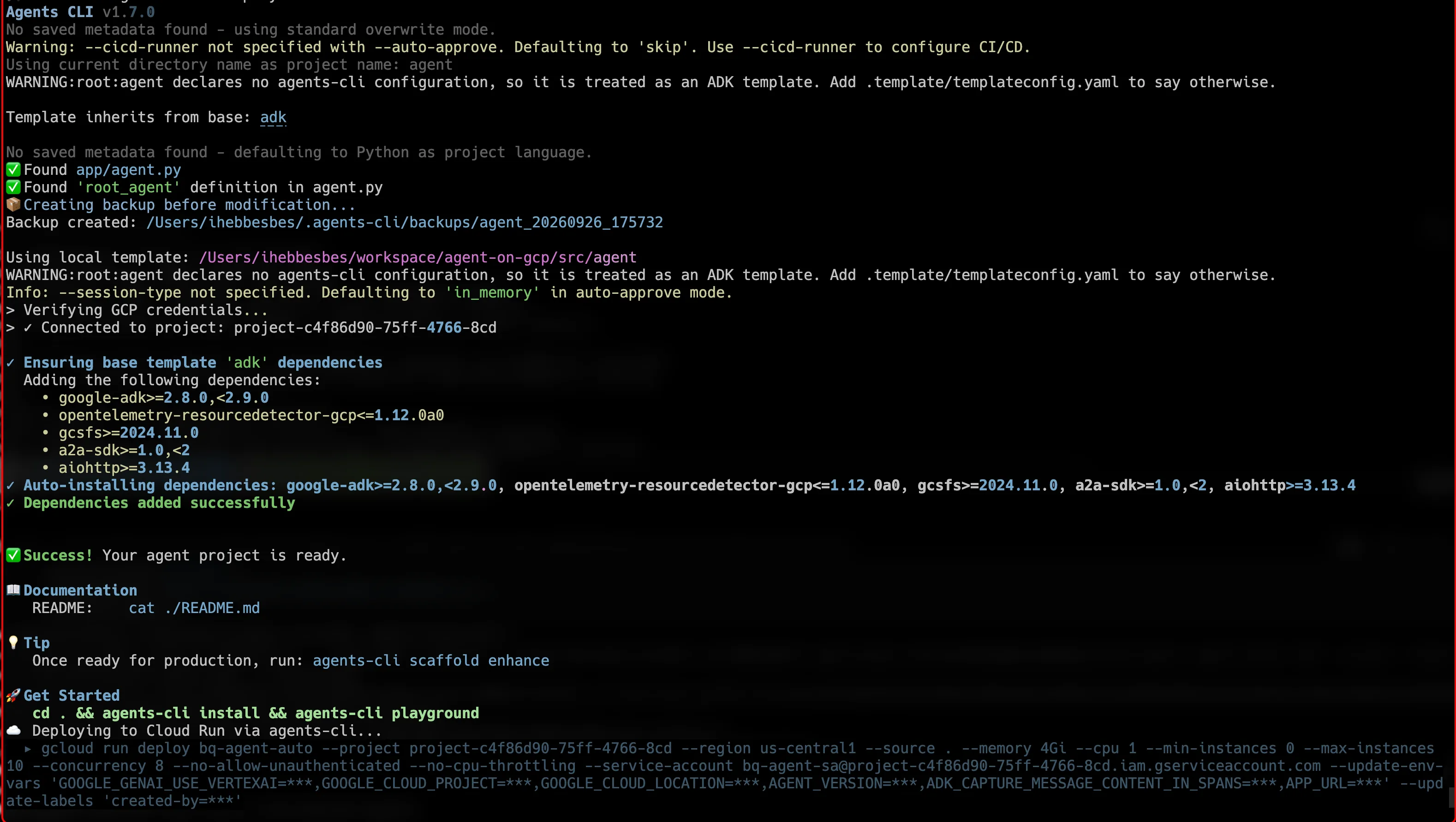
On main, the dedicated script deploy_auto_cloudrun.sh provisions the service account if it does not exist, cleans the previous scaffold, scaffolds, patches and deploys:
Deploy Cloud Run via script
The scaffold creation looks like the Agent Engine one, only the target changes and the rest stays the same:
Scaffold for Cloud Run
The deployment command is not that different either. Telemetry is not enabled here: it can be, but it needs further development to monitor and follow the metrics properly.
Deploy to Cloud Run
The service name is declared read only on purpose. On the Cloud Run backend, agents-cli does not use a state file and does not need one: it follows the Cloud Run service by name and provisions new revisions on it. Keeping the name stable is what makes a redeploy an update instead of a duplicate. If the deploy script is run again, it reuses the service it finds under the --service-name value.
The feature/cloudrun-agent branch tells the same story with Terraform as the infrastructure base. The script deploy.sh is almost the same, except it calls Terraform instead of the IAM script to provision the service account and the target Cloud Run infrastructure, then cleans the scaffold, scaffolds and deploys. The Terraform configuration lives under terraform/ and is split into three modules: iam for the service account, cloudrun for the private service, and scheduler for a Cloud Scheduler job that invokes the agent daily over OIDC. Terraform provisions the infrastructure, and agents-cli owns the container build and the service update:
Testing
With the default scaffold, agents-cli ships the agent with an API playground to test its behavior during the development phase. It is also available in A2A mode and other protocols. After a successful deployment, agents-cli prints helper commands for testing, including the option to create a proxy and expose an API so other agents can reach it:

To contact the deployed agent directly, I used the following:
Run against the Cloud Run service
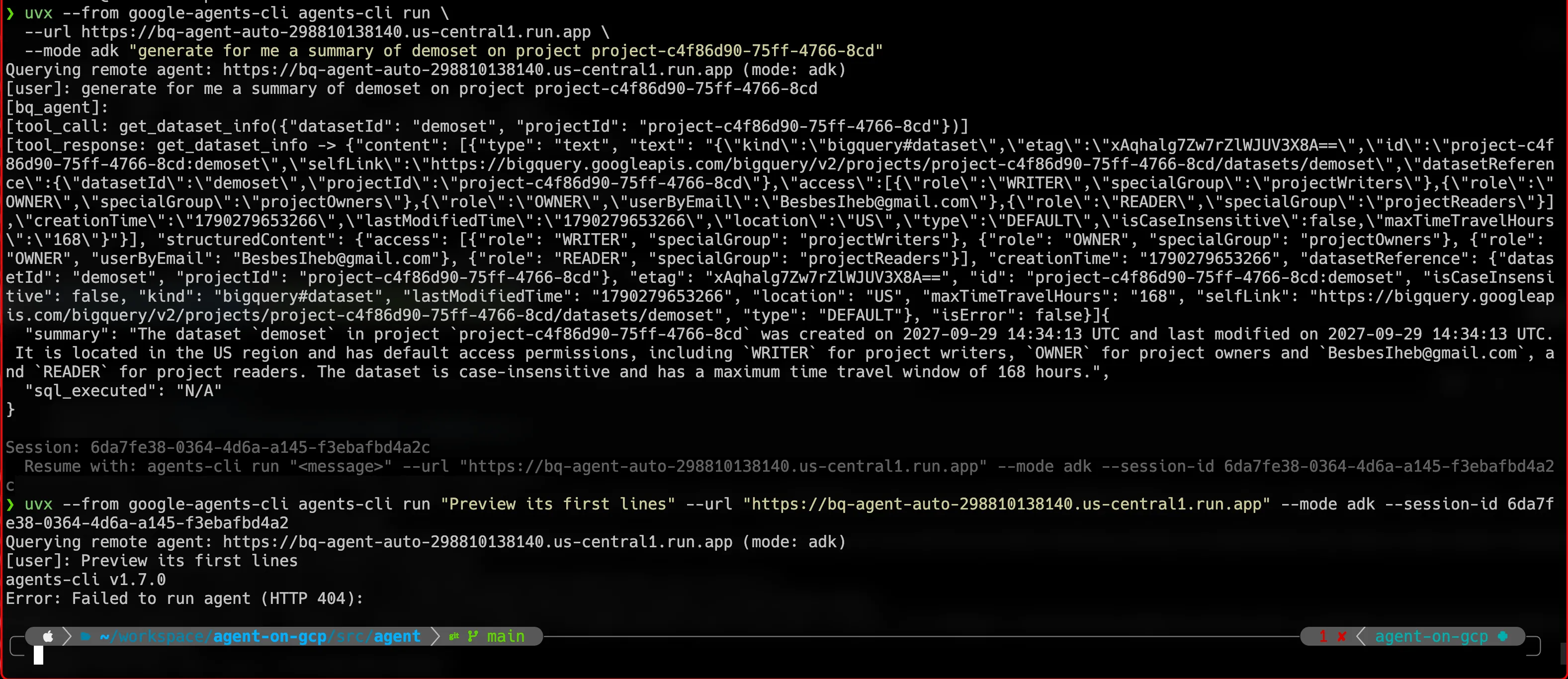
When everything is configured correctly, the agent responds and can maintain a conversation by iterating over the inputs:
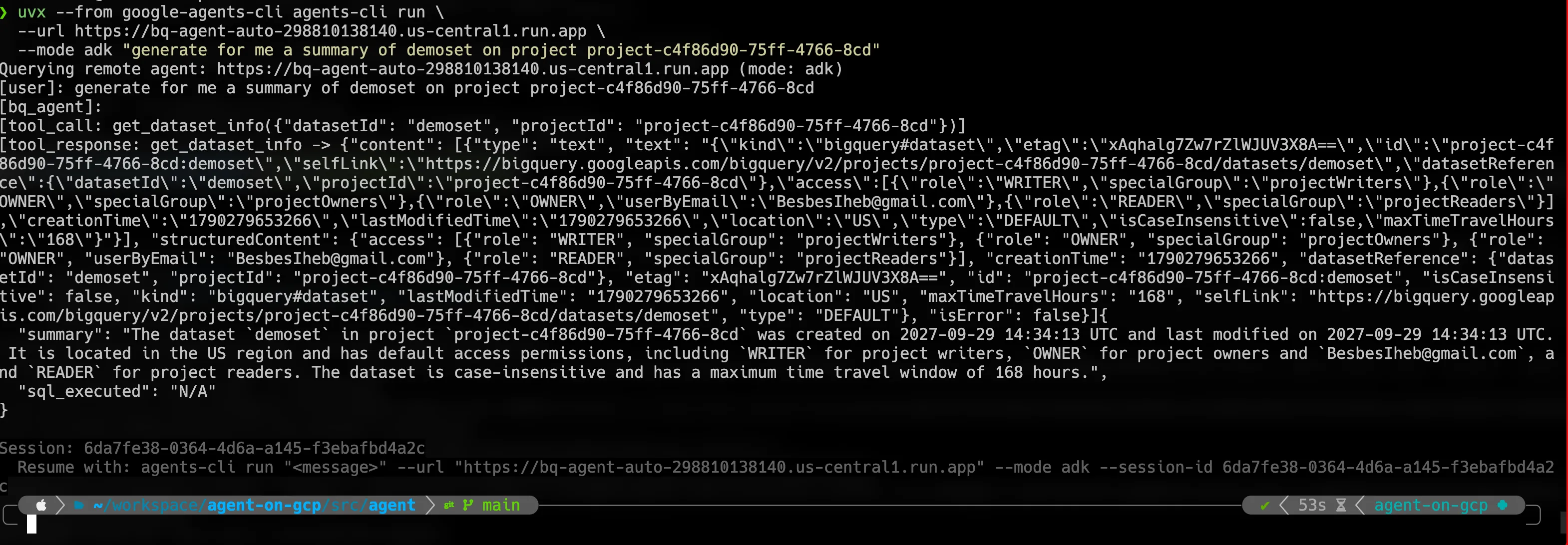
However, as soon as the service scales down, the conversation is not found anymore, because the history was stored in an in-memory session:
Conclusion
For teams already shipping services on Cloud Run, ADK is a very good fit: the inputs and outputs of the agent stay in managed and customizable hands, as seen in the previous article, and the Cloud Run version offers portability, high customizability and full governance over the infrastructure. If none of the above applies, prefer Agent Engine. It comes packed with managed options and offers a very good development cycle.
On the repository, both branches have CI-compatible scripts that automate the deployment of each showcased version.
All versions can be published to Gemini Enterprise. The Cloud Run version connects through A2A, while the Agent Engine version uses direct communication. I will go deeper into that in the next articles.